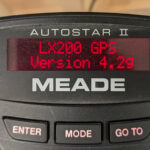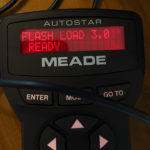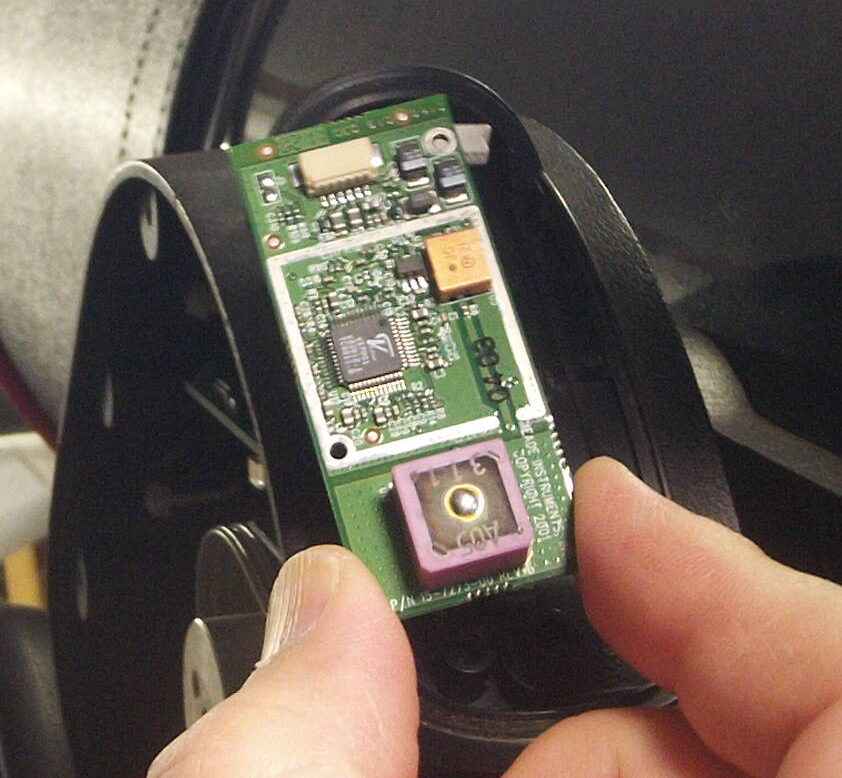
The 25 year old GPS module in my LX200GPS telescope has great difficulty getting a GPS fix. (My telescope is on a wedge, so the antenna is facing north instead of “up”, plus the backup battery died and is extremely difficult to replace without removing the telescope from the wedge. The biggest reason is that it is 25 years old.)
So I bought a modern BN-280 GPS module ($25) and a $10 USB->Serial TTL programmer, and replaced it. There are some technical details you need to get right to make it work (4800 baud, sending only $GPRMC messages, getting the wires hooked up right) but the overall process is relatively straightforward. Above is my howto video, and below is my big text dump:
If you want to make a direct “plug in” replacement, you will need a JST SH 6 pin female receptacle (1.0mm pitch) to solder the wires from the GPS module to. [This plugs into the wire that comes up out of the left fork arm…see my video for how to open it up and get access…] I bought mine from Sparkfun for $0.95 each (+ lots of S/H). It’s part number “PRT-10210” JST SH Horizontal 6-pin Connector – SMD and is a real pain to solder onto. You can also buy them in a 20 pack from Amazon. (But unfortunately the male ends have the wires pre-attached, so you’ll need to solder to those tiny little SMD parts still……) Alternatively, you could just cut the wires coming out of the telescope and solder onto them, or use the male end that comes with wires and extend it out and make your own connector, as it plugs into the left fork circuit board.
The Beitian BN-220 GPS unit has a 4 pin header, and provides 3 sets of cables that plug into it (1 male pins for a breadboard, 1 female sockets to go over pins, and one double ended connector which you can cut off to solder to your own things)
Pinout from left to right is:
1 – Black Wire – Ground
2 – White Wire – GPS TX
3 – Green Wire – GPS RX
4 – Red Wire – + 3.3 volts to 5.0v power
The BN-220 unit is capable of 5 volt TLL signaling on the RX/TX lines, which I believe is important, because another unit that I tried which only does 3.3 volt signaling failed in my testing. [I can’t say for sure it was because the telescope RX line is pulled up to 5 volts (at very low current) but that is the only thing I can think of that would have caused the UART line to fail the way it did.]
U-Blox software settings:
Baud rate is 9600 by default, so you need to change it to 4800 at
Configure -> PRT (ports) 4800
Configure -> RATE (rates) -> 1 sec (default, works for limited messages)
3 sec (may work without limiting messages, not tested)
The Meade LX200GPS REQUIRES the $GPRMC message. [It ignores any others.]
NOTE: The newer BN-220 defaults to a “GN messages (Global Navigation) instead of GP (GPS) messages, which the LX200GPS won’t recognize, so to change this to GPxxx messages (USA GPS default, vs global GNSS default) you need to changes the “MainTalkerID” to GPS so it will produce the messages that the LX200 is expecting.
Config->NEMA->MainTalkerID to 01-GP (GPS)
After you make the changes, you must also save them to flash memory so that the unit starts up with the correct configuration after power is lost.
Configure -> CFG (Configuration)> Save current config (bbr/flash + I2C & SPI for safety)
HOW TO LIMIT UNNECESSARY MESSAGES:
Instead of changing the rate (which worked for others, but I haven’t tested), you can reduce the amount of data that is sent so 4800 baud works fine at the 1 second refresh rate.
To make it work at the default 1 Hz rate, I disabled all of the extra NEMA packets that the telescope doesn’t look for or need (GGA, GSA, GSV, VTG).
We NEED the $GPRMC messages for the telescope (but nothing else)
Can Disable: GGA, GLL, GSA, GSV, VTG
To do this, you go into Config-> MSG (Messages)
And then select each of the following and uncheck all the checkboxes (clicking send for each message)
F0-00 NMEA GxGGA
F0-01 NMEA GxGLL
F0-02 NMEA GxGSA
F0-03 NMEA GxGSV (This one reduces the most bytes….)
F0-05 NMEA GxVTG
You leave ONLY the F0-04 NMEA GxRMC message enabled.
This allows the telescope to easy process the $GPRMC message as there is a lot of “down time” after it gets sent each second.
Of course, you still need to save all of these configuration changes to FLASH so they persist across reboots.
Configure -> CFG (Configuration) Save Current Config
(I selected the I2C and SPI flash options in addition to the default BBR/Flash/Eprom ones, as I’m not sure if the BN-220 module has built in flash, or if it uses a separate I2C or SPI flash chip, so I figured it was best to attempt to save everywhere, and it doesn’t hurt.)
After this, I confirmed that the BN-220 GPS unit works when powered by the telescope and the LX200GPS successfully gets a GPS fix from it. The minimum set of wires needed for the telescope to get a GPS fix is: +3.3v, GPS TX (to Telescope RX) and Ground wires.
[I did also connect the GPS RX to the Telescope TX line, just in case there is some reason to send commands to the GPS from a computer outside the telescope via the RS232 line, and it kept working…but I did not connect the battery backup or enable line.]
Looking at the front (plug in side, not the wire side) of the connector that comes out of the top fork arm (or looking at the back of the receptacle I purchased to plug into it) the pins to use are:
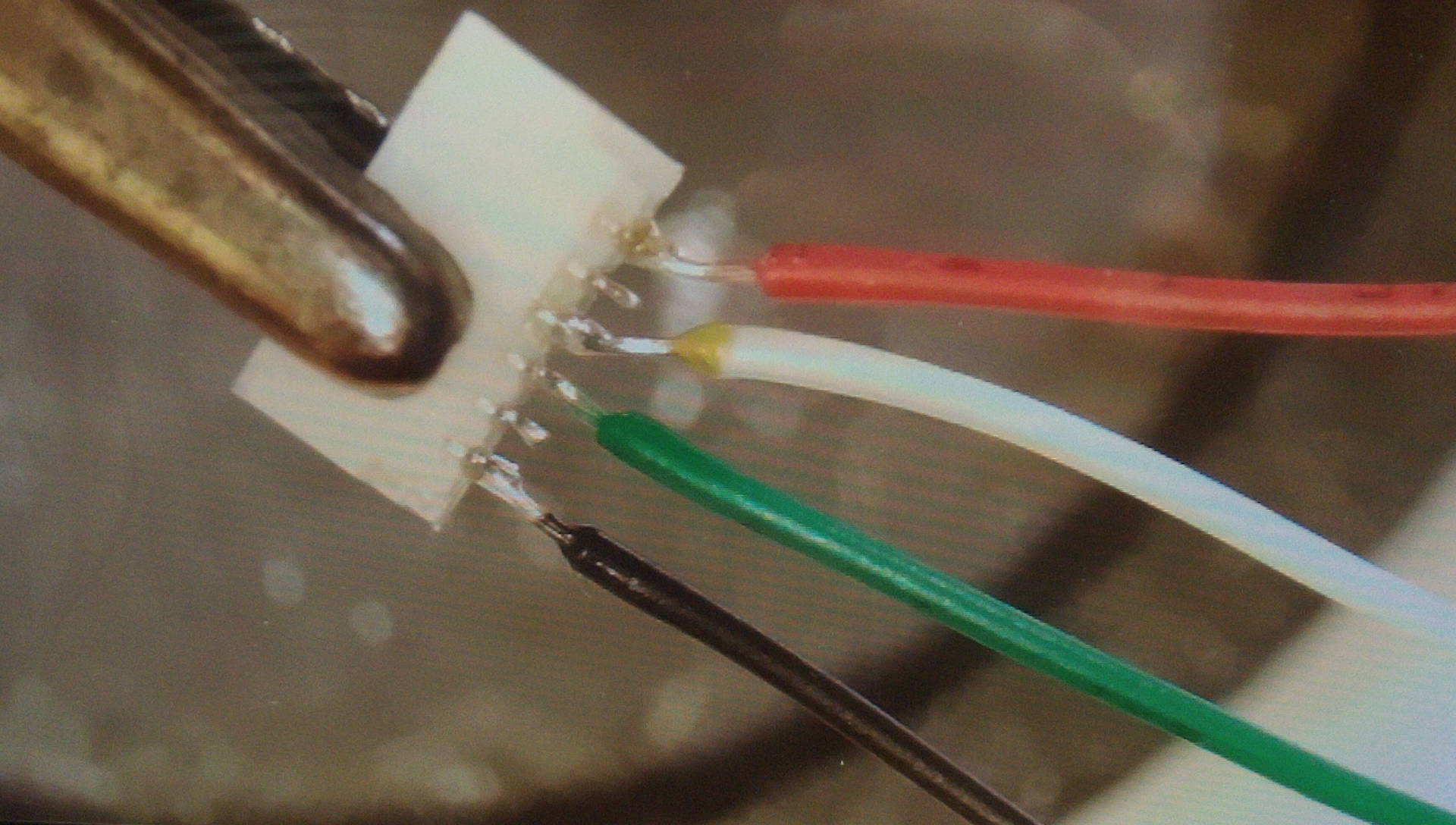
- Far Right: Ground [GPS black wire]
- Not Connected (Battery Backup I believe)
- Not Required (GPS RX/Telescope TX, measures 3.3 volts when telescope powered up) (GPS green wire)
- GPS TX / Telescope RX (Measures +5 volts when telescope is powered up!) [GPS white wire]
- Not Connected (Enable line I believe)
- Far Right – +3.3 volts power [ GPS red wire]