The iCom IC-725 Transceiver receives CW (Morse Code) natively, but you can install an optional “narrow” CW filter that gives you greater sensitivity / out of band rejection.
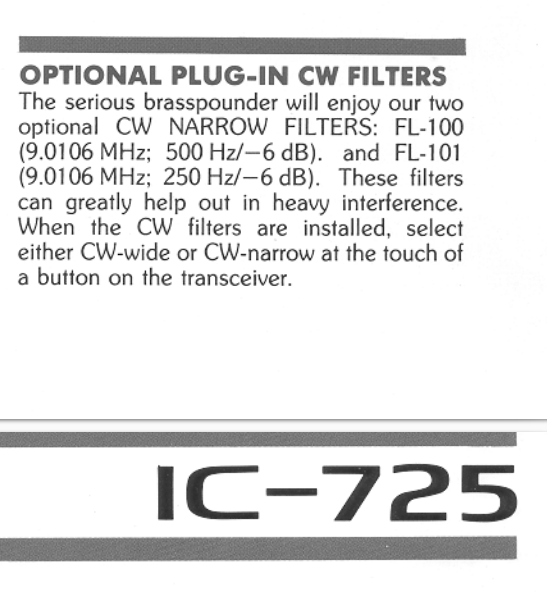
The FL-100 (500Hz notch) or FL-101 (250 Hz notch) are suggested in the IC-725 manual. I instead installed a FL-232 (350Hz) filter which is designed for later ICOM radios, but has the same form factor, and is designed for the same 9.01 Mhz IF that the IC-725 uses. This is a “happy medium” between the 500 and 250 sizes (Plus, I found a FL-232 for sale at $87 shipped, while most of the FL-100 and FL-101’s I’ve seen for sale are $120-150 shipped from Japan.)
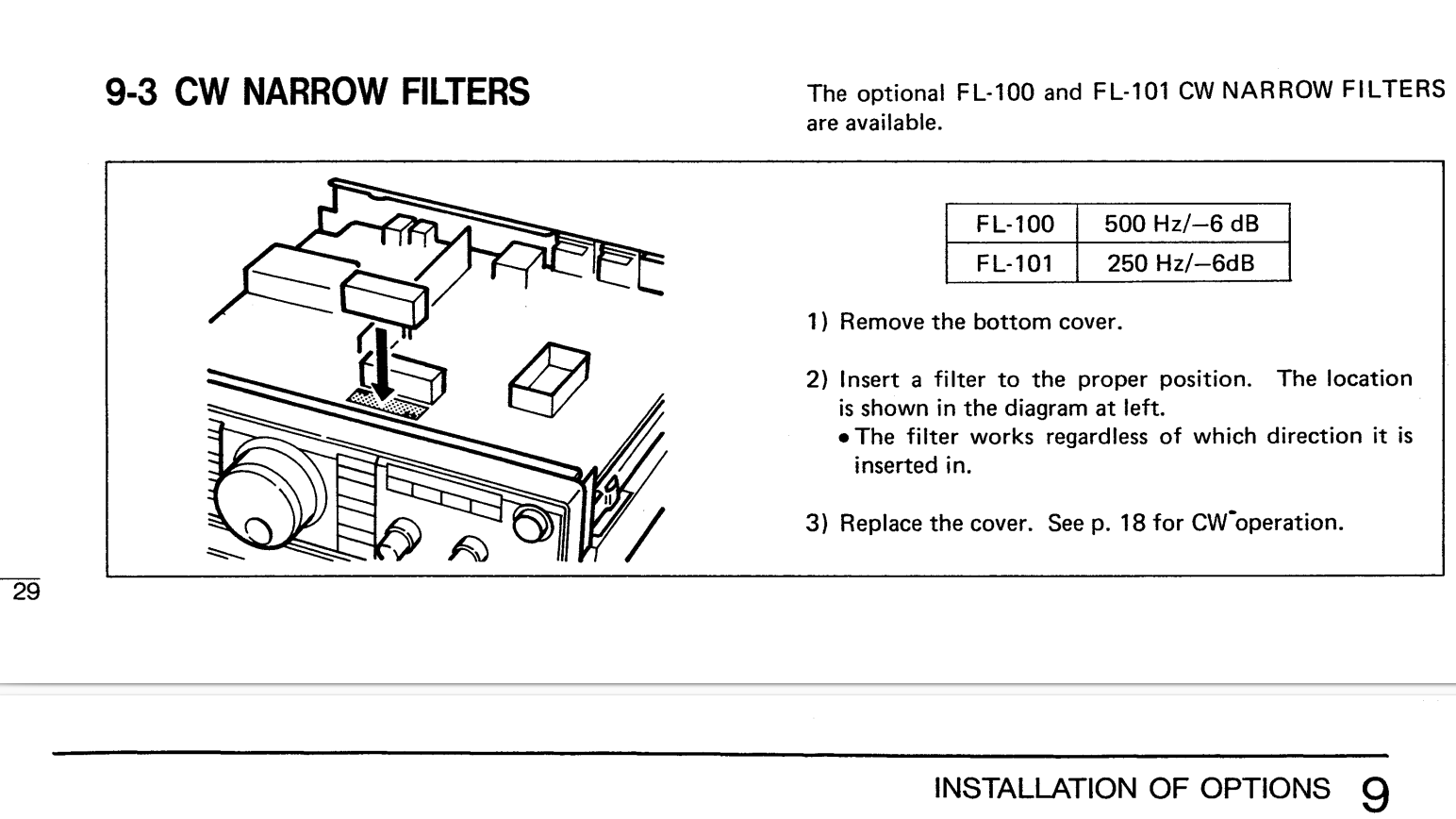
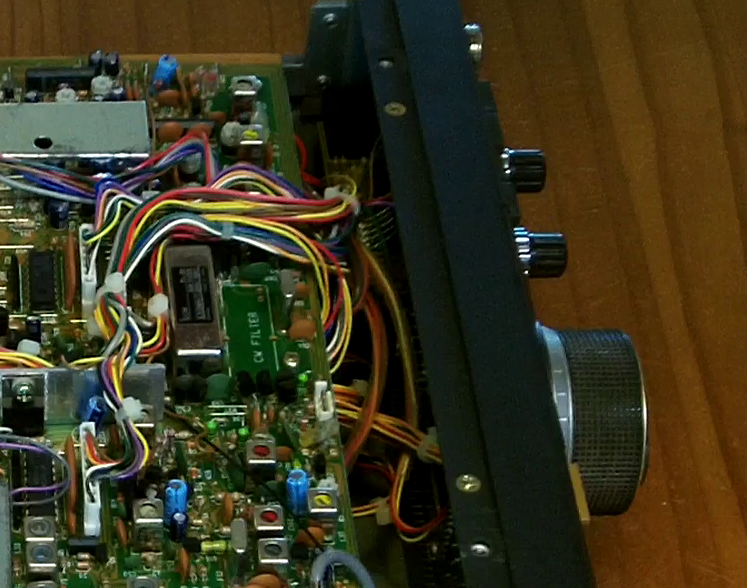
Installation requires you to open the bottom cover of the radio, but is not otherwise difficult, as the circuit board has sockets underneath, making it a simple “plug in” install. I was lucky enough that the used FL-232 filter I purchased came with the thin clear rubber “anti-vibration” pad, which prevents from inadvertent short circuits and makes it less likely to detach. The location is clearly labeled “CW Filter” and a white rectangle, directly in front of the (pre-installed) SSB filter. You can install the filter in either orientation, but I did it with the iCom sticker facing the same way as the one on the SSB filter. Watch the end of the video above to hear the difference in discrimination between the “normal” CW setting and the “Narrow” CW setting after the filter is installed. [Before the filter is installed, if you select CW-N mode, the radio goes silent, as it can’t pass any signal through the non-existant filer.]