

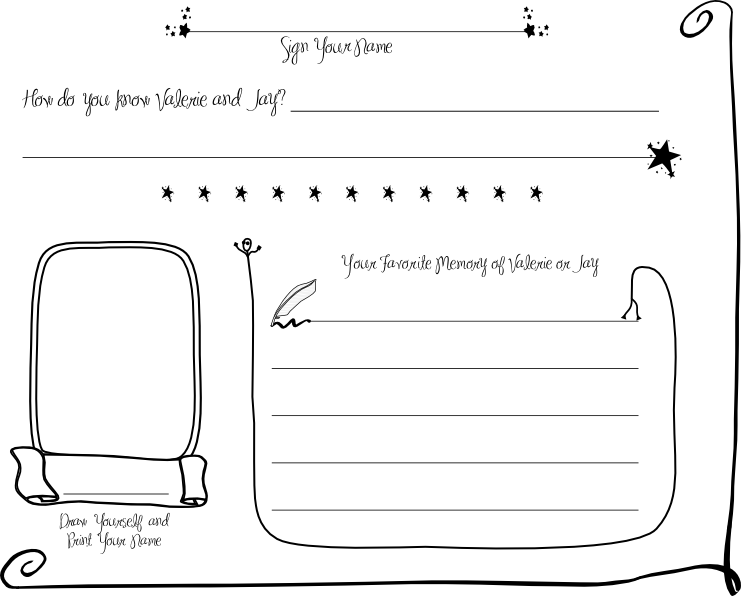
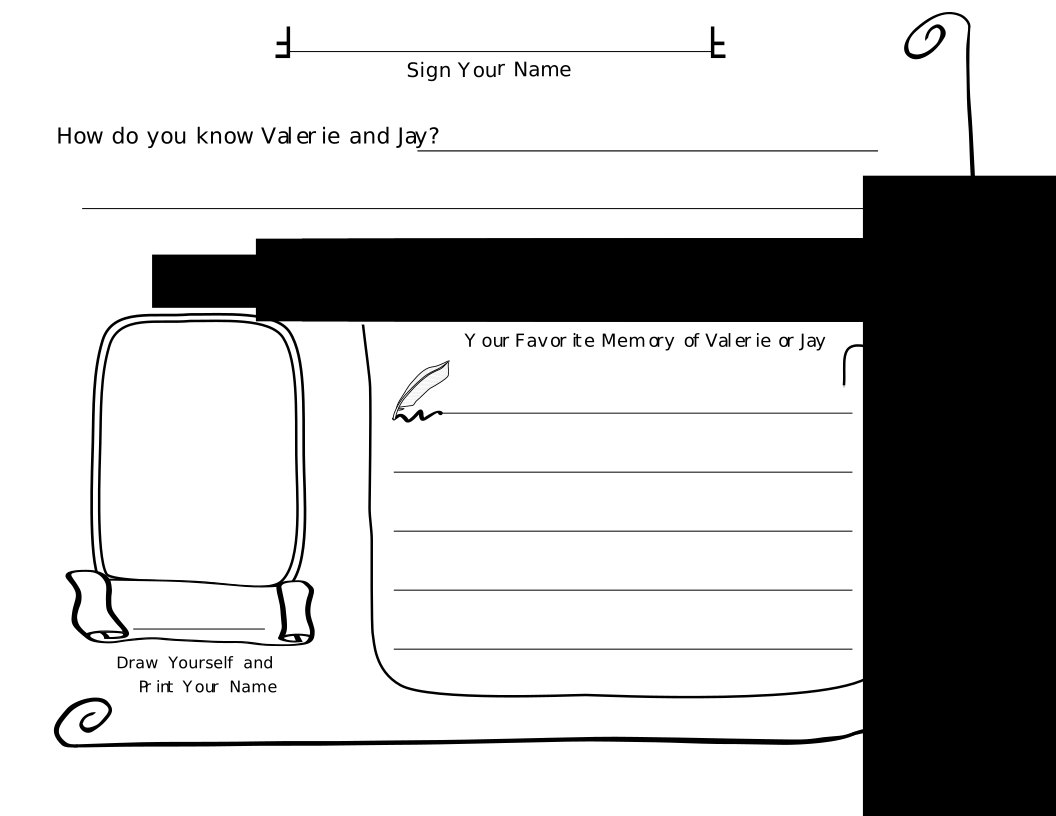
At our wedding, my wife and I provided blank guest-book pages at each table, along with a glass of colored markers. The guests really enjoyed filling in the open-ended blanks. After the wedding, we sorted the pages and then had them bound to make a personalized keepsake.
At the bottom of the page I have included an image of each side of the guest-book page, as well as the original SVG source files. You are free to edit them to suit your needs and use them for your own wedding if you would like. In the SVG files I have included some alternate borders and artwork outside of the printed page that we decided not to go with. You can use any vector artwork program to edit the SVG files, but I recommend Inkscape, which runs on Windows, Mac, or Linux.

You can download the source files here:
If working with the SVG files, you will also need the following fonts:
Note: When dealing with the MA Sexy font, I found it necessary in some cases to manually position letters (Kerning) because some letters would overlap. I did this by selecting individual letters (Shift arrow) and then using the alt-arrow or shift-alt-arrow keys to move the letters 1 pixel left/right or 10 pixels left right.


Pingback: Craftzine.com blog
I LOVE this idea! I just got engaged, and of course am wanting to create most of it myself instead of going through a wedding planner. I already know I'm going to make origami flowers for my bouquet! I am definately going to create my own wedding guestbook, and I like the idea of having colorful markers at the tables. Even with a small wedding, this will just personalize it even more! Thank you!
Pingback: Offbeat Bride | Awesome wedding guestbook templates
Pingback: TJBookarts»Blog Archive » Thursday morning musings…
Apply online 24/7. ur Everyone Approved Easy Quick $1500 Faxless Payday Loan. Cash In Hours. Faxless Cash Advance Payday Loans Online. …advance instant loan online payday
Wanna dream?
http://index.10rocker.cn
index
Funny))
Hi.
Good design, who make it?
naisioxerloro: I made the design, with aesthetic feedback from my wife. Thanks!
I was just wondering. Did you print the pages on regular paper or did you buy card stock? Or did you have them printed out at a place like Kinko’s? I have a very small budget and was looking at a guestbook website that sold pages similar to this but it would save me money to print them myself!
Cindy,
We printed them using a laser printer onto 110 lb card-stock. (Water-color paper). We took them to a bindery after the wedding which charged us $35 for a custom binding.
Jay
I have been looking for something like this forever. This is awesome! Thanks Jay!
Hi Jay,
I’m having a wedding coming up soon and I’m trying to figure out the best way to print out the svg file once I edit the file in inkscape. Can you give me some advice?
Ken,
Nothing fancy…I just exported them to PDF’s and then printed them onto heavy cardstock (110 pound paper) on a laser printer. An inkjet would also work, but then you risk ink running if the pages get wet.
Jay
Hello,
I cannot open the wedding guest book pages! I really want to use them but I can’t get them. Is there any way you can send them up my email, already opened, ready to print? Please let me know. Thanks,
Crystal
Crystal,
You will need to install the Inkscape application to open (and customize) the guestbook pages. [You need at a minimum to change the names…]
They are currently customized for my wife and I, so would be of no use to you even if I could send you a ready to print version. A URL link to the Inkscape download page is provided in the post.
Jay
I have downloaded inksacape but cannot figure out how to get these files onto it so I can work with them. Are you able to help me through this?
Mekayla,
To load the files, you should first open Inkscape, then use the “File…Open” menu to open the file.
The following URL has a tutorial that will teach you basics about Inkscape: http://www.inkscape.org/doc/basic/tutorial-basic.html
Jay
I really liked it. But not bad, it would be to add a few important sections.
Thank you so much for these!! I customized them and they are amazing just what I was looking for!!
How do I copy and edit this myself? I downloaded Inkscape but it wont let me copy it and open it in that program
Rebecca,
You must download the .svg files to your hard disk, and Inkscape should be able to open then and allow you to edit them.
Jay
thank you so much for the idea!
Sirs,
Our corporation (Guestbook Store, Inc.) own’s and maintains a publishing business called the Guestbook Store since 2002 which we sell custom wedding guestbooks. You can view the site online at: http://www.guestbookstore.com
Last evening, we discovered you have created a replica of our products and are offering them via your website at:https://www.summet.com/blog/2007/05/10/wedding-guestbook-pages/
Our page designs have indeed received a Visual Arts copyright on both the design and the phrases and we demand you immediately cease and desist distributing these pages before we’re forced to pursue this matter legally.
I request your prompt attention to this matter and response in the next 24 hour period.
Regards,
Ann Sandler
President
Guestbook Store, Inc
Hello Ann,
The guestbook pages posted on my website pages were created by me using free public domain (non-copyrighted) graphics. I believe I hold copyright to my own work.
If you believe I am infringing upon your copyright, please provide more specifics about the particular image or text that you believe is in violation. Also, a copy of your certificate of registration would be appreciated.
You may wish to have your lawyer review the US Copyright office’s publication “Circular 40”, available at the following URL:
http://www.copyright.gov/circs/circ40.pdf
It specifically states that:’
“Copyright protection for an original work of authorship
does not extend to the following:
Ideas, concepts, discoveries, principles …
Words or short phrases, such as names, titles, and slogans”
Thank you,
Jay
Jay, please let me know how to customize these pages. I read the Inkscape tutorial and tried to play around with the program, but I haven’t figured out how to change Valerie and Jay to Nathalie and Miguel. I’m able to delete the text but not modify it.
Thanks so much for your wedding pages; they are a great help!
Nathalie,
You must first select the text area. Then, select the “text” tool. (If you have a small screen, the text tool may be hidden under a right arrow “>” on the bottom of the toolbar) Using the text tool, you can position a text insertion carrot at the correct location to edit the text.
Alternatively, you may find it easier to erase the text and then re-create it.
Jay
Thanks so much for your fast response. I’m very sorry to bother again, but how do you install the fonts?
The directions on how to install fonts differ depending upon what OS you use. I suggest looking here for directions:
http://www.dafont.com/faq.php
Jay
Hi Jay,
Can you tell me if the Ann who commented on your post here (https://www.summet.com/blog/2007/05/10/wedding-guestbook-pages/) ever ended up pursuing legal action? She is threatening to come after me now too since I also created guestbook pages using my own graphics that appear similar in nature to her pages. Just wondering if she will stop pursuing me after I show her the copyright laws that you mentioned in your comment. Thanks!
I am happy to report that after my reply (which you can see above) I did not hear from Ann again.
Jay
Hi Jay,
Just wondering how i go about printing the edited guestbook pages? Thanks so much btw this template is amazing – exactly what i was after!! I’ve had a bit of a fiddle but can’t seem to work it out.. any help/instructions will be apreciated 🙂
thanks again
You can probably Save As or Export to PDF and then print the PDF.
Hi, Jay! Thanks for the idea. How exactly was your book bound? Was it on the top side or the left side?
Thanks so much!
Jen
We had it bound on the left, but there is no reason you couldn’t bind on the top.
Perfetto, complimenti bravo continua cosi!!