Upgrading a Baofeng 5RH-Pro radio firmware on Linux (Ubuntu 24.04)

I bought a Baofeng 5RH-Pro radio which claims GPS and APRS broadcasting features built in so that I could test my other radio and computer APRS setup inexpensively.

Unfortunately, it arrived with firmware 2.0.2, but to get (somewhat) working APRS beaconing you need to upgrade it to firmware 2.0.9.   Getting software for the Baofeng radios is a fraught experiance. There isn’t a “main website” to download it from, you are supposed to go through individual dealers, and the amazon seller provides a personal username / password to download software from a 3rd party website that isn’t sketchy at all…


Plus, I’m not even 100% sure that the CPS programming software (which typically is used to set up the saved channels and settings without having to type everything into the radio directly) can also upgrade the firmware. [Plus, at least one vendor on VirusTotal flagged it as having malware.]

[I really anti-recommend the 5RH-Pro as the out of the box experiance is abismal, unless you need a very inexpensive radio that (with a lot of work) can be made to beacon APRS packets with positions from the built in GPS reeiver.  Buy the K6 instead if you don’t need GPS/APRS, as you can program it using CHIRP on linux without jumping through any hoops and the default firmware on it worked great for me..]

Anyways, before putting in the effort of setting up a virtual box with a windows install just to run this questionable CPS software, which may or may not actually upgrade the firmware, I asked the Baofeng User Group (on Facebook) and eventually found a file  (5RH_engtool_fw_v2.7z) uploaded by “Larry Ficken” which worked for me.

This 7zip archive  contains a “radio.exe” (which does NOT flag in Virus Total, so that’s one point less of sketchyness when compared to the vendor suggested files…although you are still running an exe you downloaded from a random dude on FB, so there is that….)  and a firmware file “BF_5RH_501_v2_0_9.dat” which successfully upgraded my radio to 2.0.9 where the APRS positioning beacon system (mostly) works.

Now, it’s still a windows EXE file, but I was able to run it successfully under Ubuntu Linux 24.04 using WINE and MONO.  To do this I had to:

Linux: Installed wine & mono
Download wine-mono.msi from the official WineHQ site (matching the version of Mono I had on my Linux setup)
run ‘wine uninstaller’ from the command line (choose/install the wine-mono.msi file)

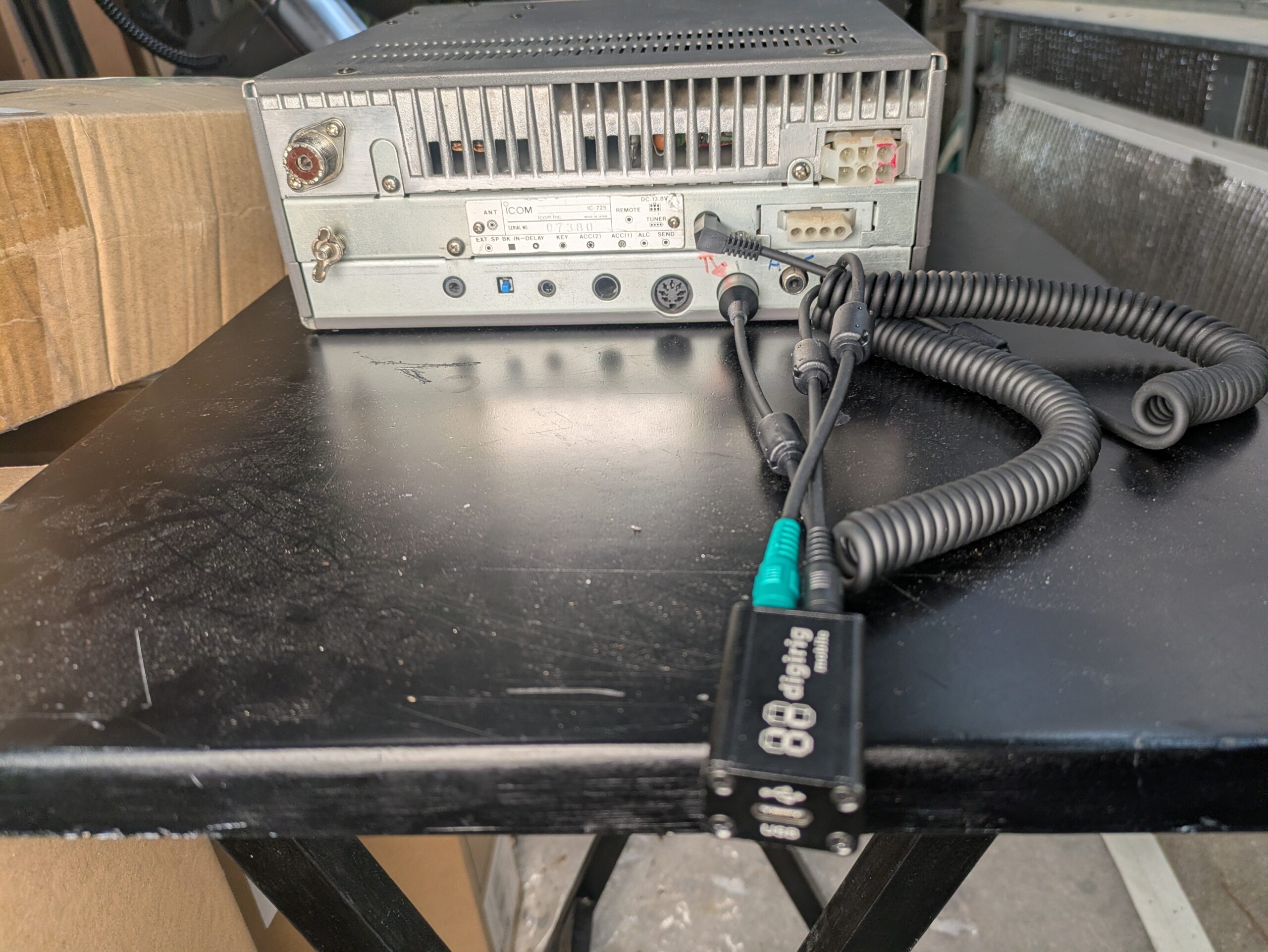
Check that my /dev/ttyUSB0 (USB serial port for my K1 programming cable) was linked to COM4 in ~/.wine/dosdevices

Run ‘wine regedit” at the command line and confirm that COM4 was set up correctly in HKEY_LOCAL_MACHINE\Software\Wine\Port

(On mine, it was listed as “COM4:” so I removed the “:” from the end and that made things work.)

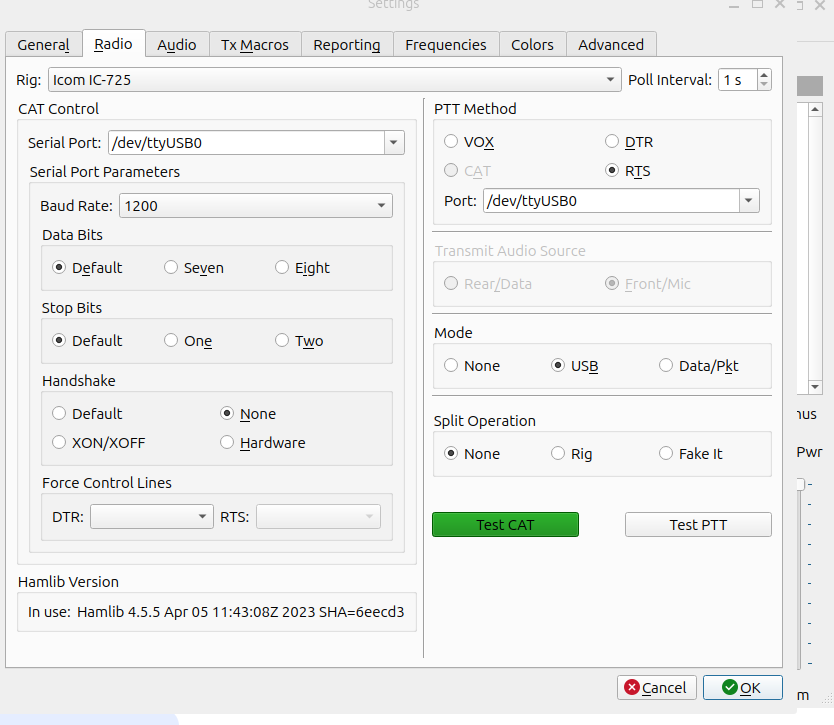
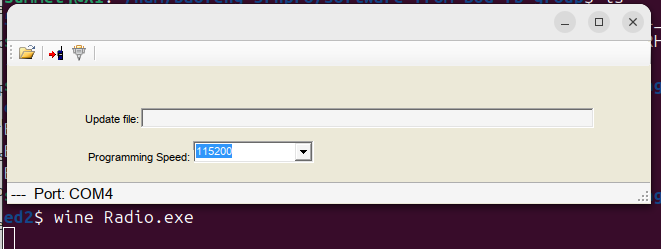
Finally, I was able to type “wine radio.exe” at the command line and the very simplistic firmware updater tool loaded and successfully ran:

This successfully upgraded my radio’s firmware.  [It may also be possible to use wine to run the CPS programming software under Linux….but I haven’t tried that, because CHIRP works great with my K6 radio, and I really recommend you buy radios that CHIRP supports, especially if you are running Linux as your main OS.]

Building a solar filter for the Vaonis Vespera smart telescope

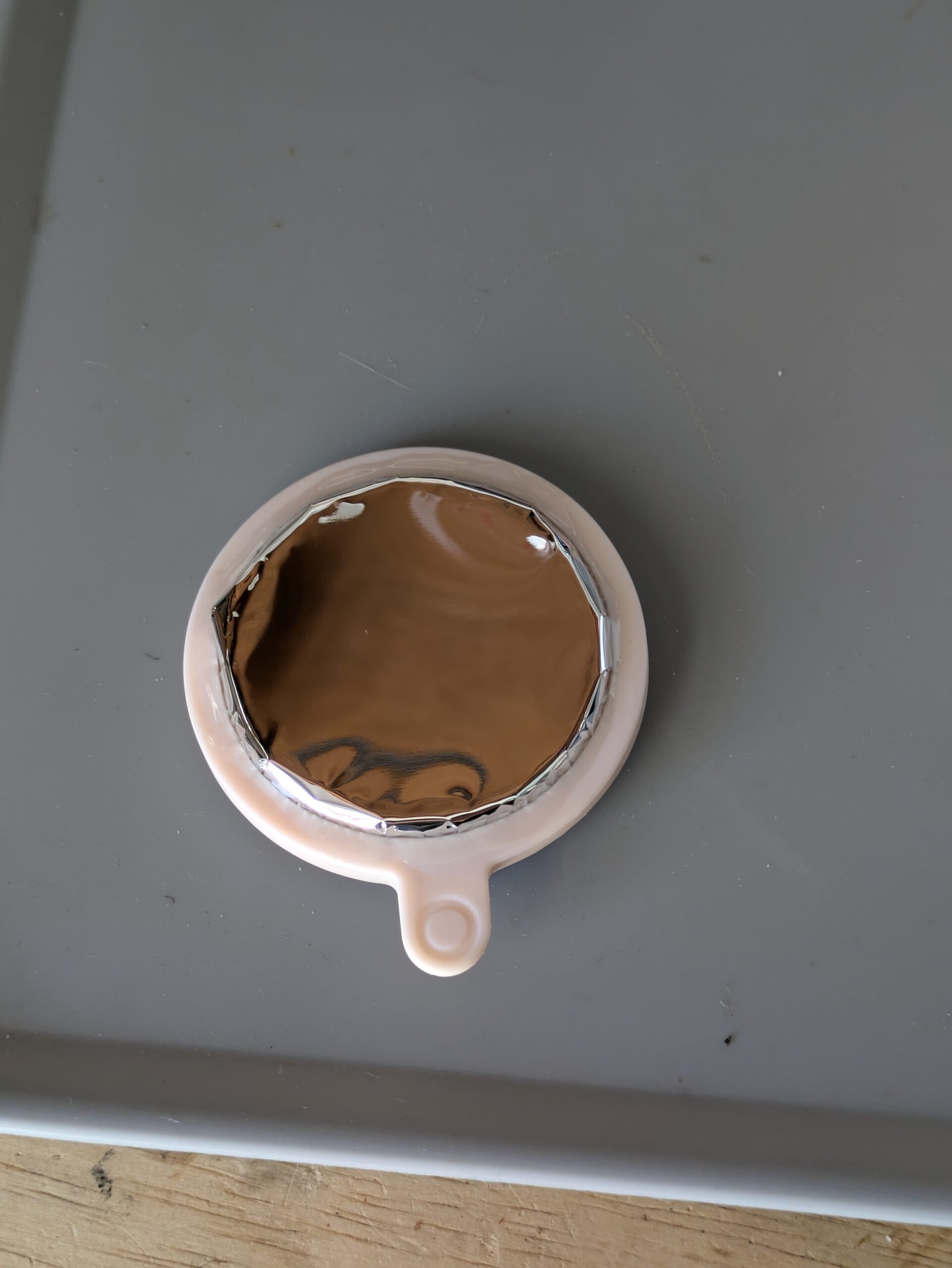
After my success with a Dual Band filter holder, I spent $38 on a sheet of BAADAR AstroSolar Safety Film (from ScopeStuff in Round Rock TX) and used some 3M VHB double sided tape (cut in very thin strips) to attach it to the 3D printed filter holder.  The filter holder is really designed for screwing in a 2″ (50.8mm) astro filter, so it didn’t have as much surface area on the “ring” as I would have liked, but it worked reasonably well, especially as I then sandwiched the outside film within the larger outside ring when I snapped them together.    [I cut one bit of film a little too short, so it didn’t go under the ring, you can see it in the bottom left in the photo below.] I put a ring of UV cured resin around the outside of the filter film just as added insurance it won’t pull up in the wind or something.

I was very tempted to use superglue on the ring before dropping it down onto the filter film (instead of small pieces of VHB double sided tape).  I didn’t do that because I was worried it might not stick to the film, and I was also worried about CA glue offgassing when the filter was used in the sun.   After I made this filter, I tested gluing the resin print to some cutoff film, and it appeared to work great. If I need to make another filter (or make one that looks a little smoother around the edges) I will try using CA glue instead, and make sure I put the whole filter out in the sun for a day before using it on my telescope to make sure the CA glue won’t offgas onto the lens.

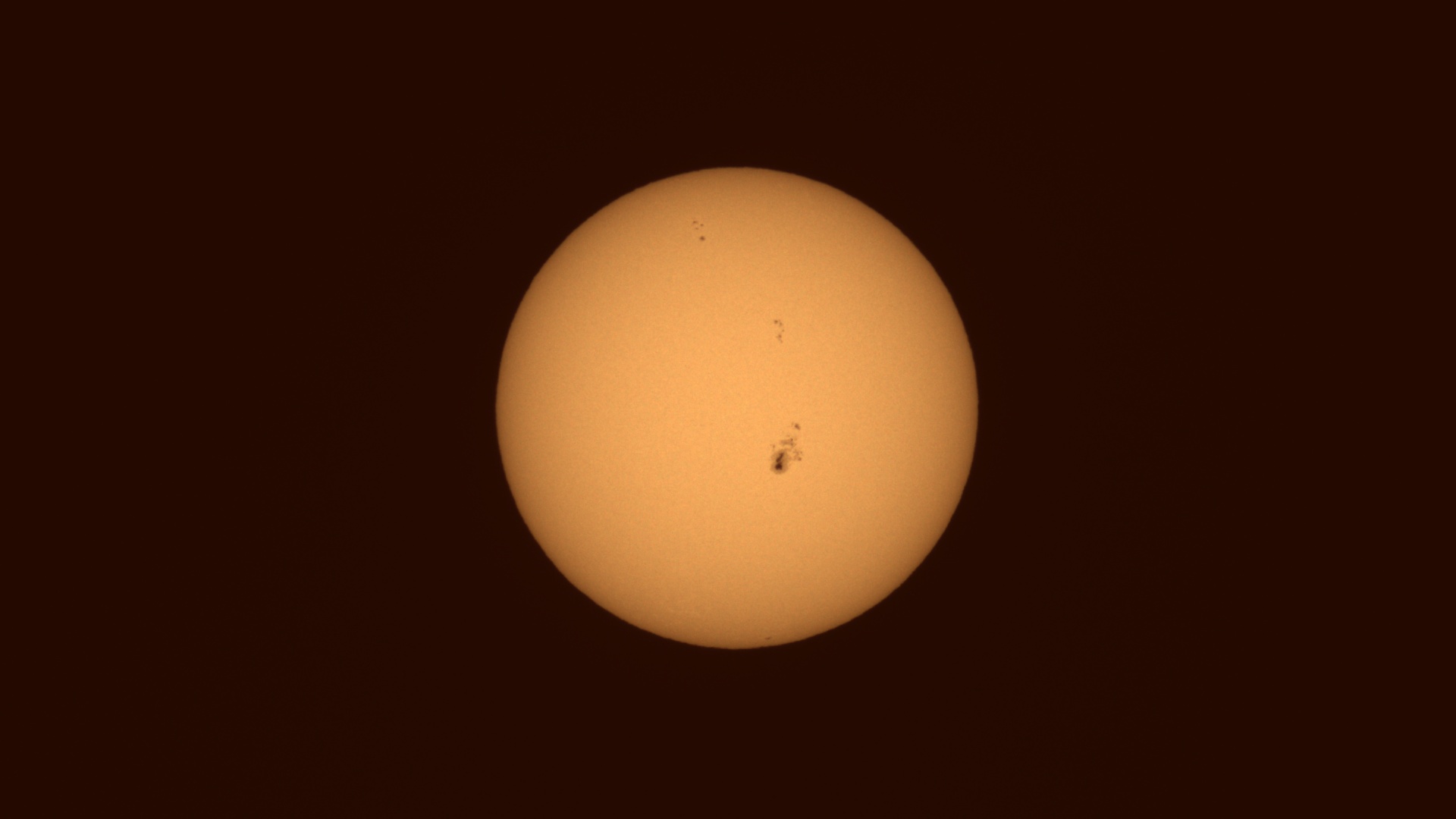
However, even though the edges of the filter film look a little wrinkly, almost the entire surface of the optical path was very flat (but not overly tensioned) and the images through the solar filter look as good as any of my other smart telescopes produce, so I think functionally it worked great.

Sun stats: 0;0;0;0.003048, exposure: 300µs , gain: 0dB

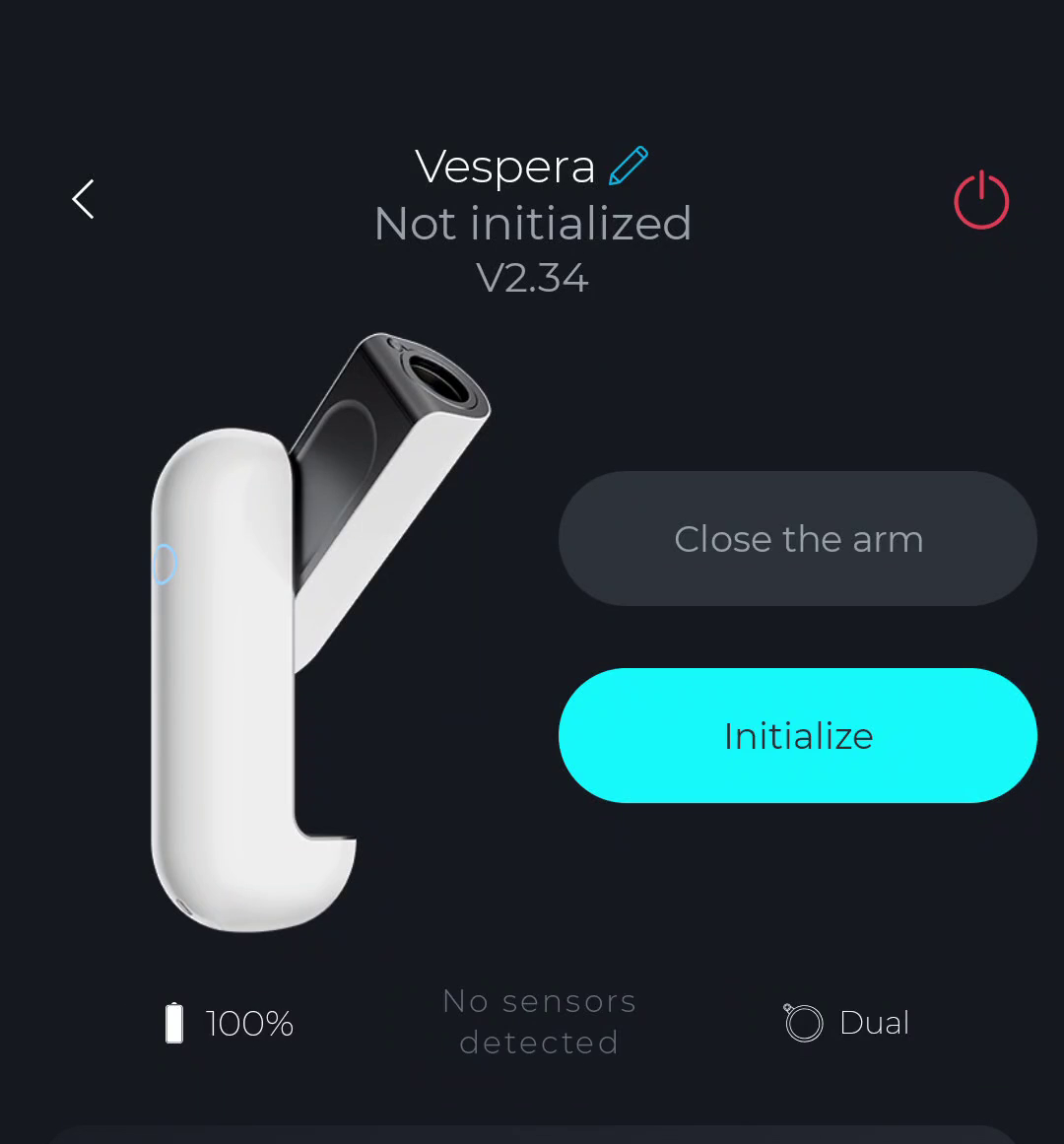
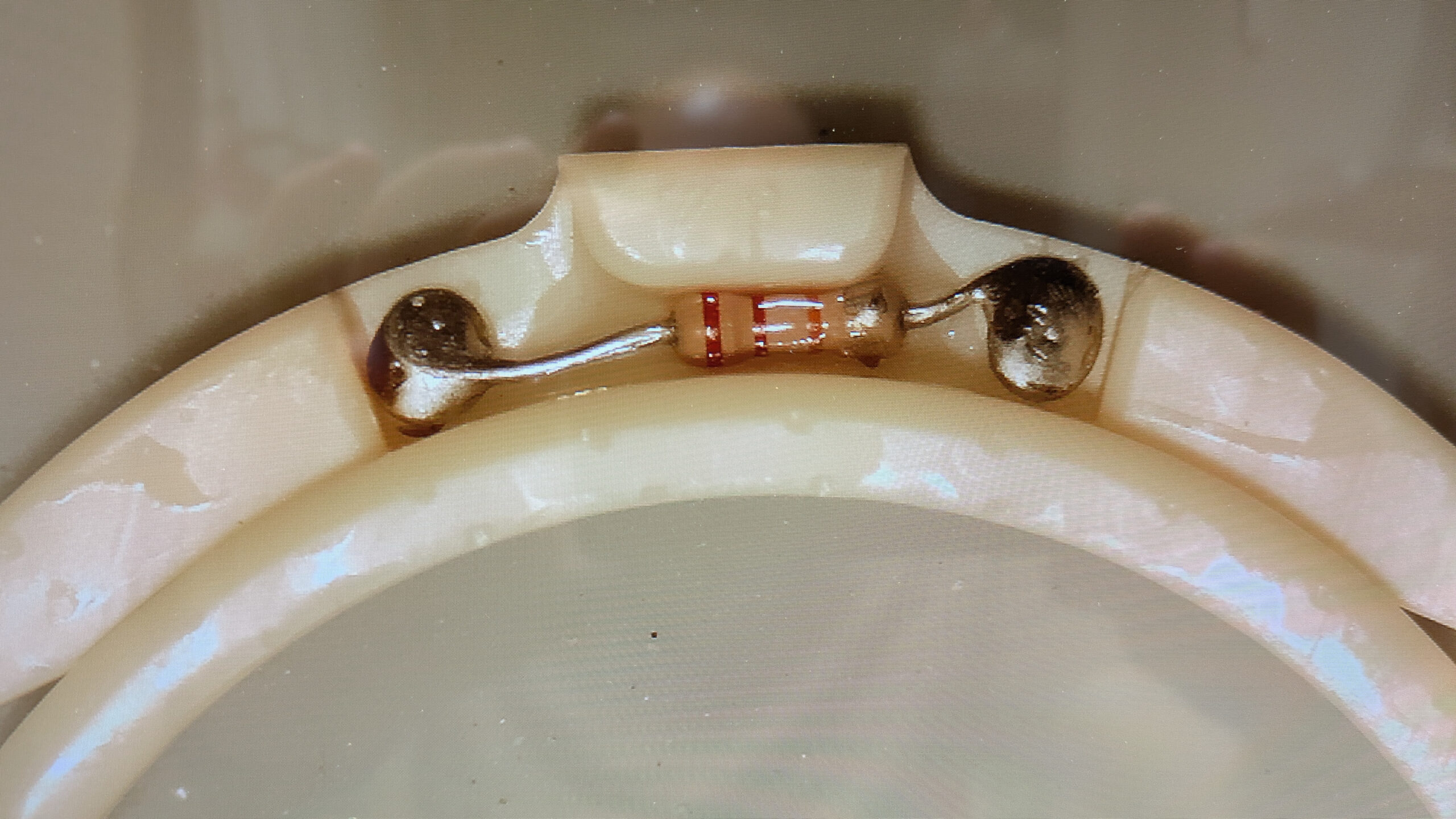
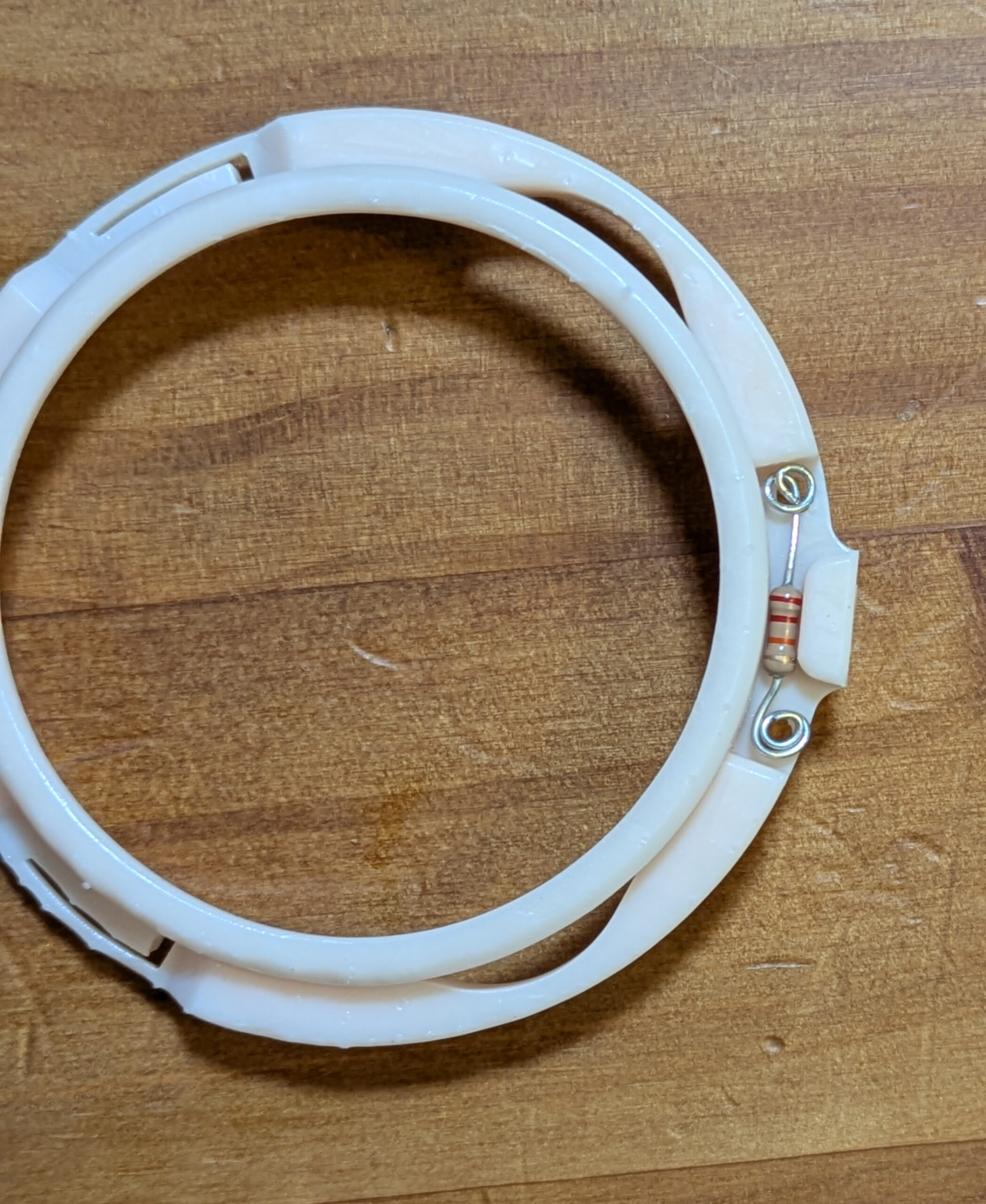
I used a 4.6 Kohm 1/8 watt resistor with the leads circled and soldered inside the filter holder to indicate to the Vespera that it had a solar filter installed, and it was detected correctly as soon as I plugged in into the telescope.

Continue reading

DIY Dual Band Filter holder for the Vaonis Vespera Smart Telescope

I purchased a used Vaonis Vespera smart telescope, but if I wanted to buy the “official” (and proprietary) Dual Band filter to use for imaging emission nebula, it would cost $400 USD!

This especially smarts, as I already own a 2″ SVBony SV220 dual band filter that I use on my main telescope.  Luckily for me, aureliend2000 has posted a 3D model on Thingiverse that allows you to create your own ‘Vespera compatible’ filter by screwing in any standard 2″ optical filter.

[And if you put a 24k Ohm resistor in the right spot, the Vespera automatically detects that a  “Dual” band filter is installed, setting the gain of the camera appropriately.]

Here is a video showing the full process of how I made mine:

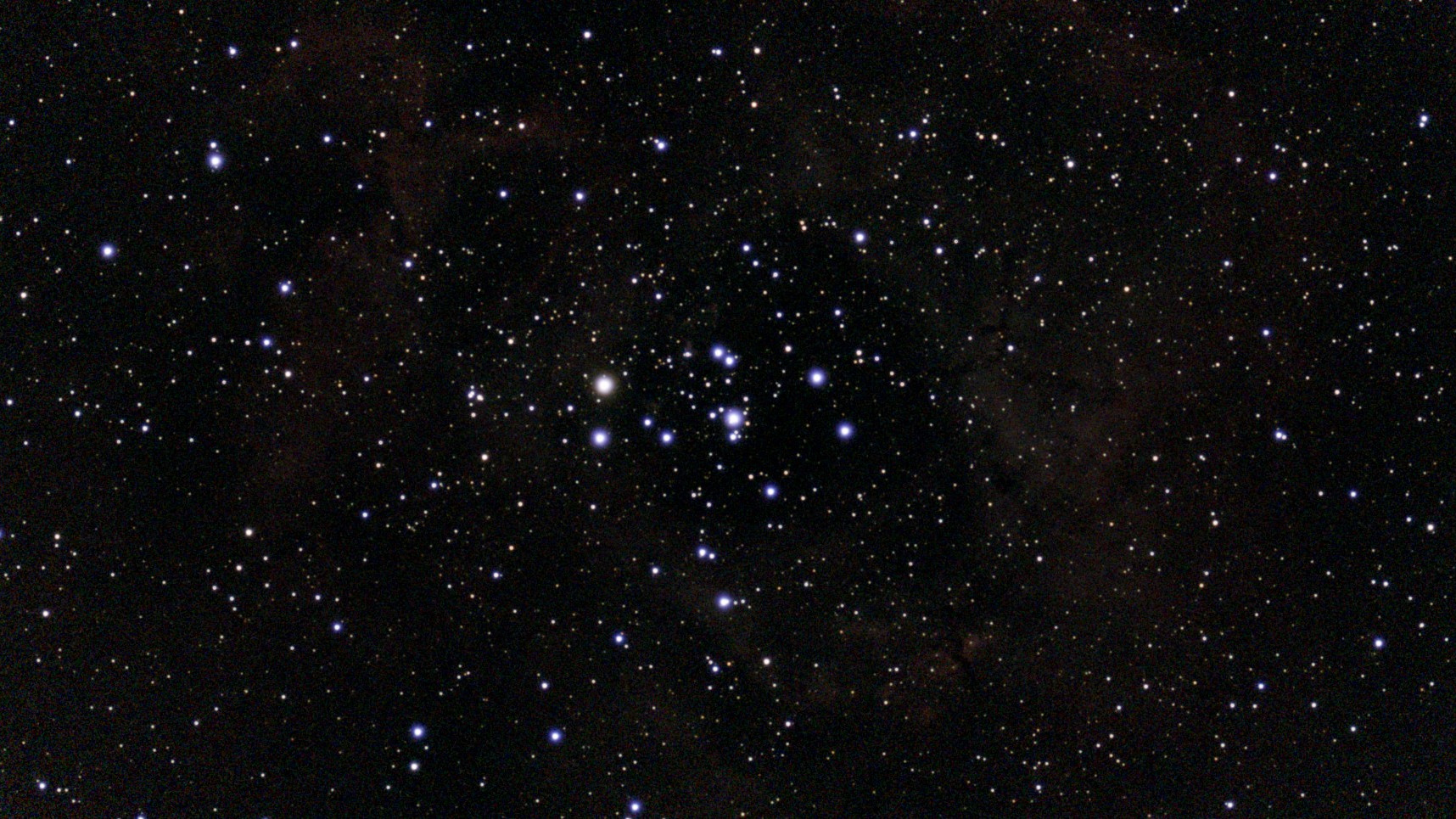
Here is a 48min exposure of the Rosette Nebula (from Bortle 7.5) without the Dual Band filter:

NGC2237_44 (290 exp)

And for comparison, here is a  48 min exposure WITH the SvBony SV220 dual band filter:

NGC2237_44 (287 exp)


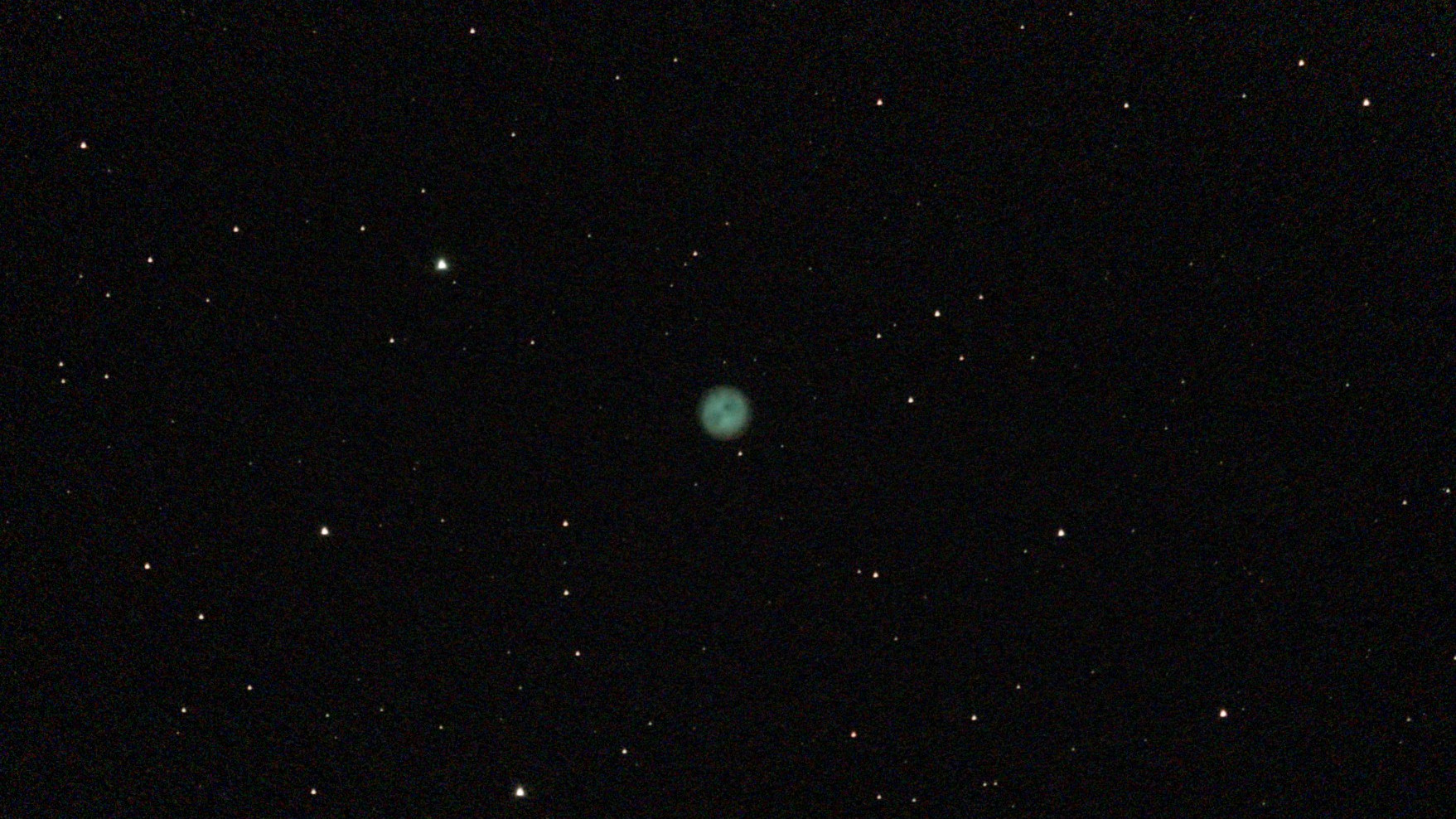
And here is a 57 minute exposure of the Owl Nebula using the SV220 dual band filter:

M97 (342 exp)

Considering I already had the SV220 filter, a 3D printer, and a 24k Ohm resistor “in stock” I’m very pleased with the ability to use a dual band on the Vespera without spending (any more) money.  I’m so happy with the result that I’ve ordered a sheet of solar film and plan on making my own Solar Filter so I can use the Vespera to image the sun.   [Yes, my Zwo Seestar S50 came with a solar filter and a built in light pollution / DB filter….but the optics, tracking, and software of the Vespera are all just slightly nicer, and since I got it used the cost wasn’t outrageous.]

Telescope dolly alignment jigs to repeatedly return to polar alignment

I want my telescope to be polar aligned when using it. To do this, I need to have the base accurately pointing exactly towards the north pole (in the Azimuth direction) and the Altitude of the wedge the same as my latitude. [This essentially means that I need the tripod base to be exactly level.]

Getting the tripod level is easy, as I have 3 leveling bolts built into the ends of my home built rolling dolly and a bubble level on the telescope wedge.  However, to get the AZ orientation correct, I need to reliably place at least 2 of the alignment bolts in the exact same spots on my patio every time I wheel the telescope outside to use it.

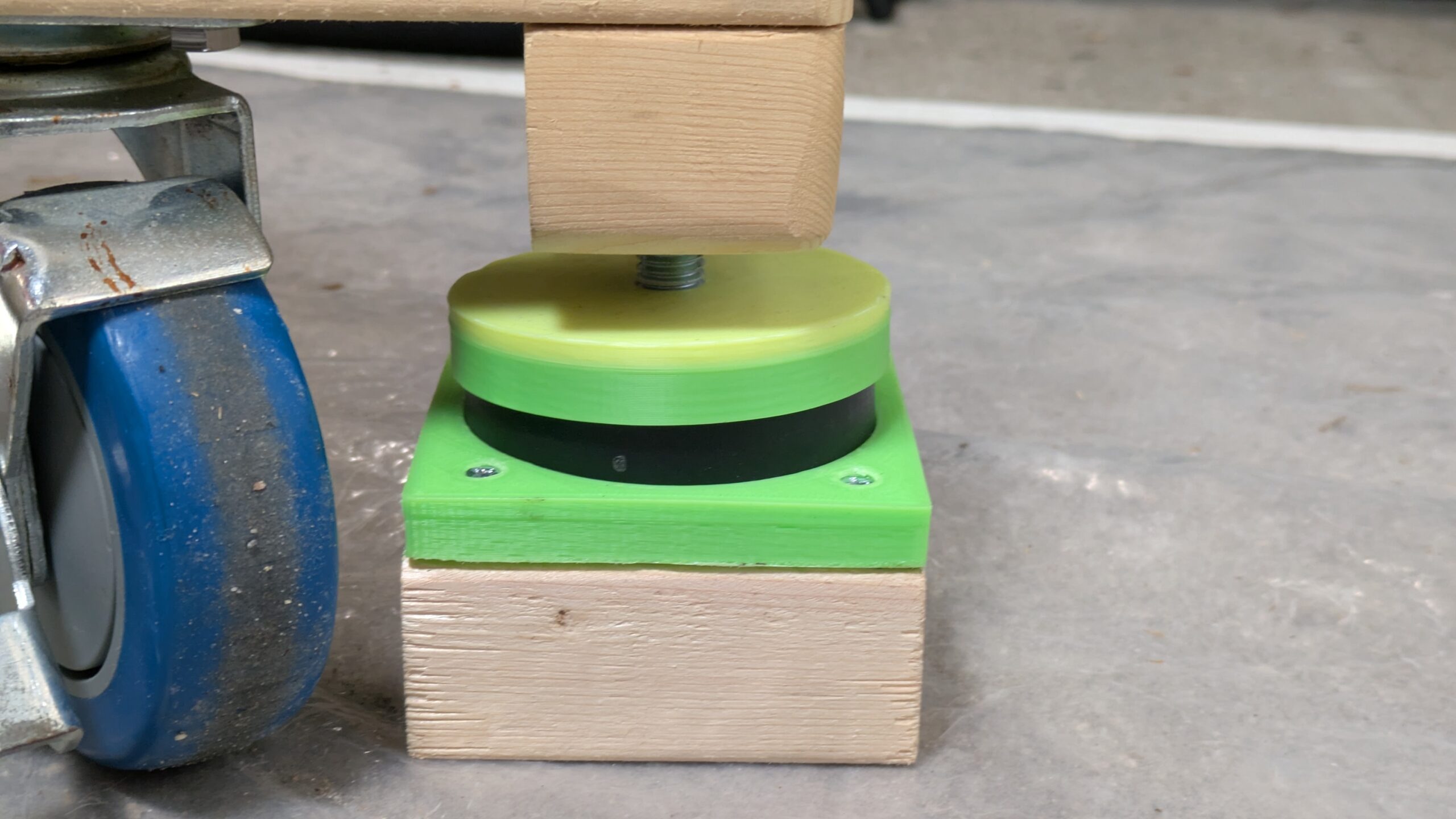
To make this easy, I built these alignment jigs. They consist of a square piece of 2×4 (3.5″ by 3.5″) which rest inside a white square of gaffers tape. The square gaffers tape lets me put these wood base blocks at the exact same point each night. But, I really need to align the 3 leveling bolts, not just the wood blocks. So I designed and printed two 3D printed jigs. One to align the anti vibration puck to the center of the wood spacer block, and one to align the bolt to the center of the anti-vibration puck. The combination of jigs allows me to place the three leveling bolts (and hence, the dolly, and tripod) at the exact same location every night.

You can watch the video below to see how this works in practice.

FIXED: Installing obs-ptz package for Ubuntu 24.04 (But not showing up in the docks menu)

If you want to use Open Broadcast Software (OBS) on Ubuntu 24.04, you can get it via flatpack, or a pre-packaged deb file.  I used the pre-packaged deb file with the apt package manager.

I wanted to add in the obs-ptz plugin to control my pan tilt zoom camera from within OBS.  I was able to find the obs-ptz.deb file from the author at the official github here: https://github.com/glikely/obs-ptz/releases/tag/v0.15.4

Although it installed without complaints, OBS would not show the PTZ dock. Looking at the error messages in the logs, I found that it was having problems opening the libqt6serialport6 library, so a simple “sudo apt install libqt6serialport6” fixed that issue and I was good to go.

[I’m actually using the IP version of the VISCA control protocol, so I didn’t need a serial port connection…but apparently the plugin aborts if it can’t open the serial library even before configuring cameras…]

Focal Reducers f/3.3 and f/6.6 with native Meade f/10 LX200 telescope

I have a Meade LX200GPS – 12″ SCT telescope, which has a focal length of 3048mm (305mm aperture) and a focal ration of f/10.  This telescope is great for planetary imaging (what I’m mostly limited to, living in a Bortle 7-8 light pollution area, but there exist optical accessories called Focal Reducers which allow you to get this telescope down to a quick f/6.3 or an incredibly fast f/3.3.

I’ve purchased both an Anteries f/6.3 and a Meade series 4000 CCD f/3.3 focal reducer for my telescope, and have been playing around with them and my Sony A6300 crop sensor camera.

f/3.3 Meade Series 4000 Focal Reducer, 10 second exposure, ISO 400


Antares f/6.3 focal reducer, 20 second exposure (unknown ISO, possibly 400)


Native LX200GPS – 12 inch f/10, 20 second exposure

Continue reading

Google Pixel 5A – Colorful Snow screen flashing problem – Resolved by re-flowing solder on motherboard

My wife’s Google Pixel 5A phone developed a problem where the screen would “flash” between a colorful snow pattern and was it was supposed to be showing. It started out slowly, with intermittent flashes, but quickly got worse where the screen was barely ever showing what it was supposed to. [It also does not accept touch input events when “flashing” the colored snow pattern..]

I was able to retrieve the data off of the phone by heating the entire phone up, but this was a temporary fix as the problem returns as soon as the phone cools down.

I was able to fix the problem (hopefully permanently) by completely disassembling the phone, extracting the motherboard, and hitting it with 5 minutes of heat from a 300 deg c hot air rework station. (I aimed the hot air at the video connector, and then at the covered set of chips right above the video connector (opposite from the battery connector), as I figured that was the most likely location for the video graphics chips. I still don’t know which EXACT component had the problem, but allowing the solder joints in that general area to re-flow appears to have fixed the problem, as when I re-assembled the phone it is working perfectly at room temperature.

Moon photographs from a Meade LX200GPS – 12″ SCT telescope

High resolution image of the moon showing crater details.

I created this high resolution image of the moon using a Meade LX200 12″ SCT telescope and a Sony A6300 camera. It is a digital composite (panorama) of seven separate images (which you can see here: seven-moon-images zip file ). I also made a pan and zoom video out of this image here:


Software used: Hugin Panoramic Generator and OpenShot Video editor.

Building a Telescope Tripod dolly (Meade LX-200 12″)

I built my own Tripod Dolly with casters & Leveling bolts (out of 2×4’s and plywood) for my Meade LX-200 12″ with Giant Field Tripod (the one with the 3″ diameter legs).

I was originally thinking it would be just so I could play around with the telescope (move it in and out of the garage) and get a feel for things until I decided what commercial dolly / truck / cart to buy, but I’ve been so happy with the results that I think I’ll just use it permanently.

Tripod Dolly built from 2x4s and plywood


I’ve got a short 5 minute intro video here (which links to a full 40 minute how to build step by step video if you decide to follow along and build your own):

Also of potential interest to people with the Meade Giant Field Tripod is that I modeled the tip of the tripod legs and designed a 3D printed bracket for holding the tripod tips securely in place on the 2×4’s…[Of course, you could just drill a 1″ hole at a 55 degree angle, but if you’ve got a 3D printer everything needs a custom bracket….]

You can find the 3D model & OpenSCAD design file on Thingiverse here: https://www.thingiverse.com/thing:6826864


Google Pixel 5A screen flashing “colored snow” – Recovering the photos.

Pixel 5a phone showing the USB Preferences screenGoogle pixel 5a showing the "colored snow" pattern

My wife’s Google Pixel 5a phone suddenly developed a hardware fault that presents as a “colored snow” screen flashing over the entire phone display. While the “colored snow” pattern is on the screen, the phone does not respond to touch events.

However, when the colored snow pattern is NOT showing, the phone display goes back to showing what it should be showing, and it will accept touch events.

The difficulty is that the speed of flashing is very fast (on the order of 0.5 seconds) so it is difficult to read the screen and push buttons or UI areas effectively to do anything.

Continue reading