Two of the three 12volt incandescent “grain of wheat” light bulbs in my 30 year old iCom IC-725 radio had burnt out, making it difficult to see the meter at night. (And one side of my LCD was much dimmer than the other, although it was still readable.)
Although they are soldered to the front panel circuit board, replacing them is relatively easy if you have a fine tip soldering iron and good magnifying glasses.
Access requires you remove the top and bottom covers, and then unscrew the screws holding the front cover in place (two on each side, and two on the top in the silver metal, not the two holding the plastic panel in place). This allows you to “fold” the front cover down without unplugging any wires to get just enough access to solder from the back of the circuit board.
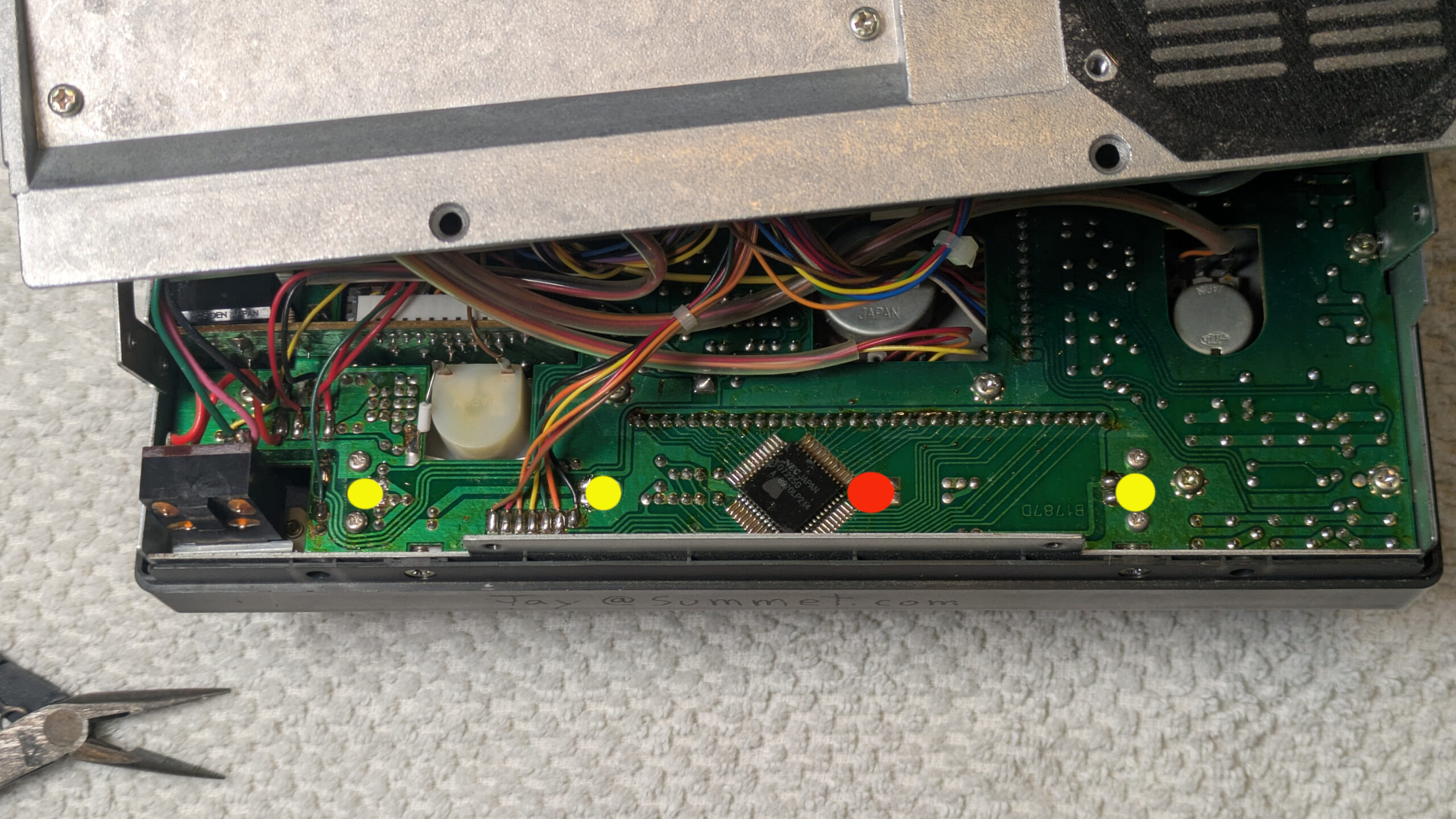
Here is a photo of the rear of the circuit board with the locations of the three lights marked in yellow (the red dot is a 4th hole that is directly behind the LCD, and looks the same, but was unpopulated in my radio. It’s possible a light is supposed to go there in the original design, but it doesn’t look like there is any way for the light to get to the back of the LCD panel from that hole (i.e. no light guides as seen in the other two holes on the sides of the LCD).
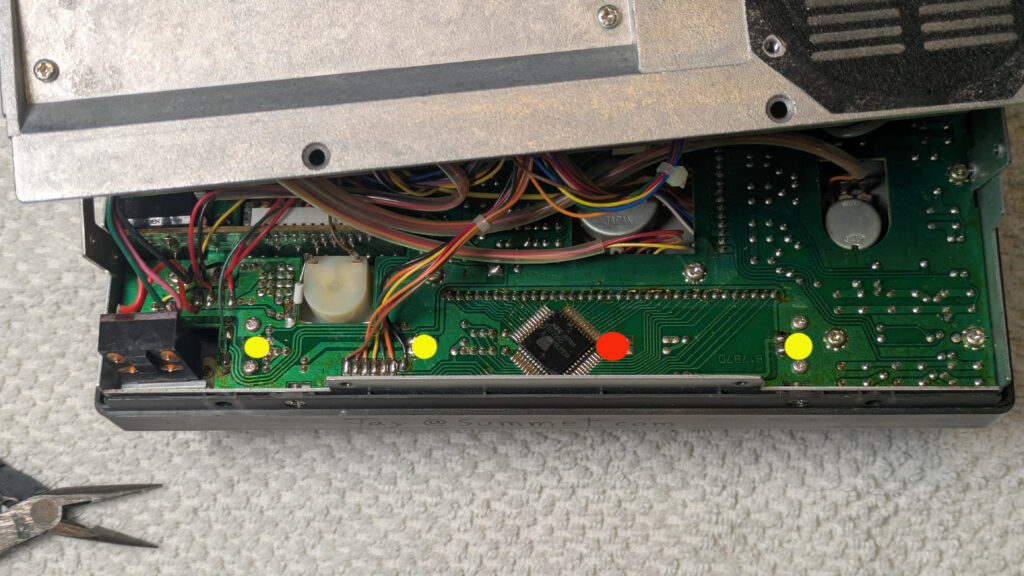
I just held each leg of the bulbs with a pair of tweezers and pulled it out of the solder blob after heating it up with my micro tip soldering iron. To install the new bulbs, I carefully clipped the legs to length, and then pressed them into the solder blob with the tweezers. [Only in one case did I have to add a drop of my own solder to help thermal conductivity to get the original solder to melt and flow around the bulb leg.] Be careful to not drop any metallic leg clippings into your radio.
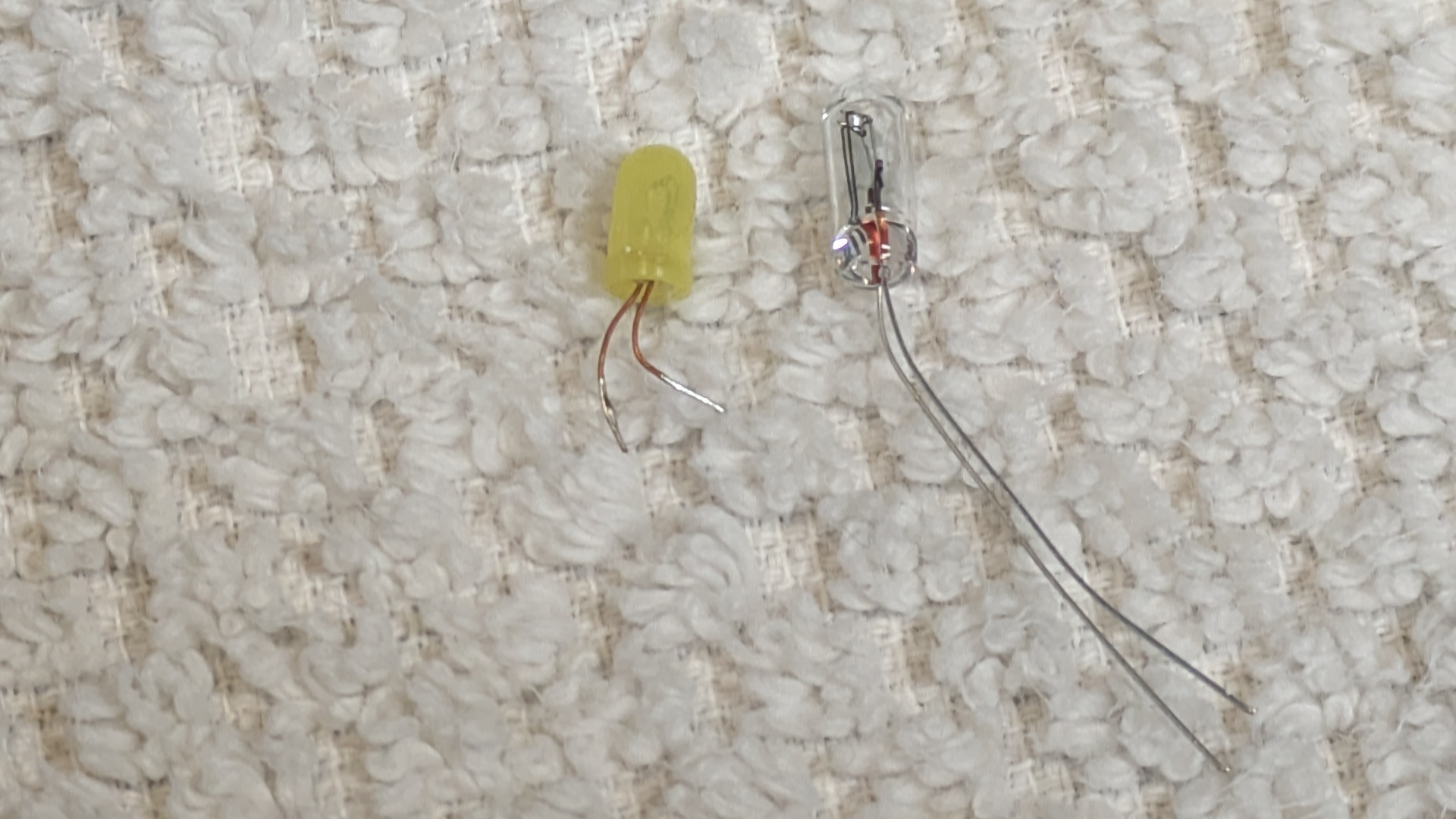
The original bulbs were very small incandescent bulbs surrounded by a yellow overlay that makes them look like LED’s, but they are NOT LED’s. If you could find some 12 volt side throwing LED lights you could use those to replace them for longer lifespan, but given that the radio is 30 years old now and only 2 of the 3 original lights burnt out, I’m hoping these replacements will last a long time.
The ones I purchased were larger than the original lights, but fit the holes fine. I got them from e-bay seller: “Affinity For Artifacts” (About $12 shipped)
Qty 5 Light Bulbs Icom IC-720 IC-721 IC-725 IC-730 IC-735 S Meter Backlight Lamp
https://www.ebay.com/itm/126120391794
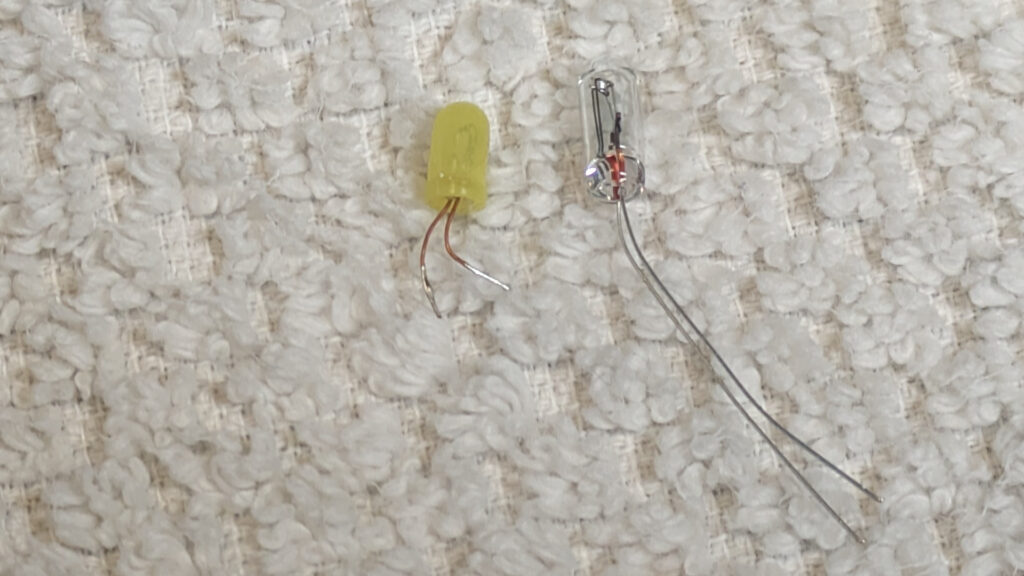
The original (yellow plastic cover) is on the left and measures:
3.35mm diameter, 6.25 mm length (plus wire leg length)
The replacements (on the right) measure: 3.74mm diameter, 10.15 mm length
(and stick out the back of the circuit board just slightly)
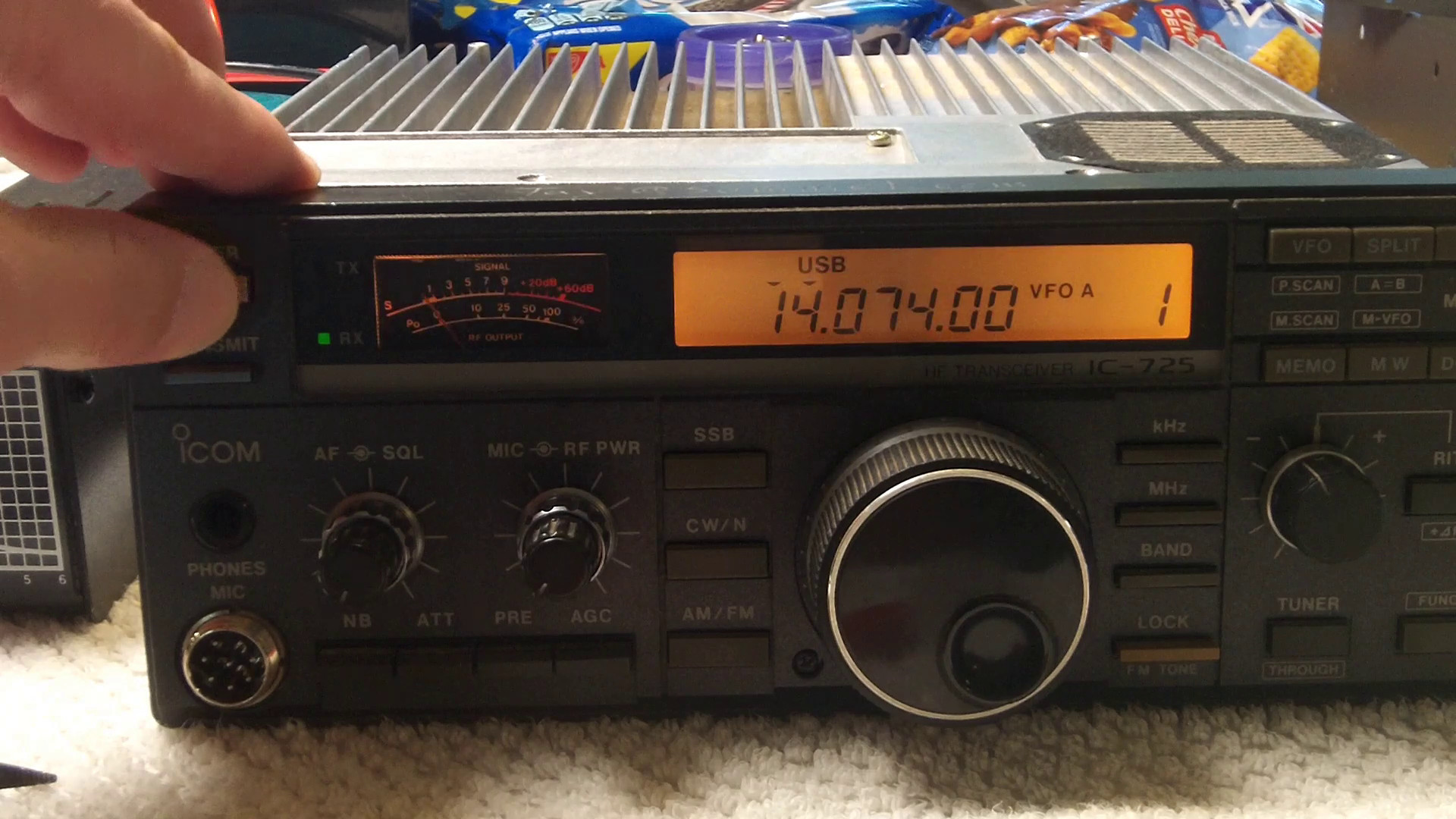
This photo makes the center of the LCD look darker than by eye (perhaps that mystery empty 4th hole was designed to counteract this?) but in person I didn’t find it very noticeable.
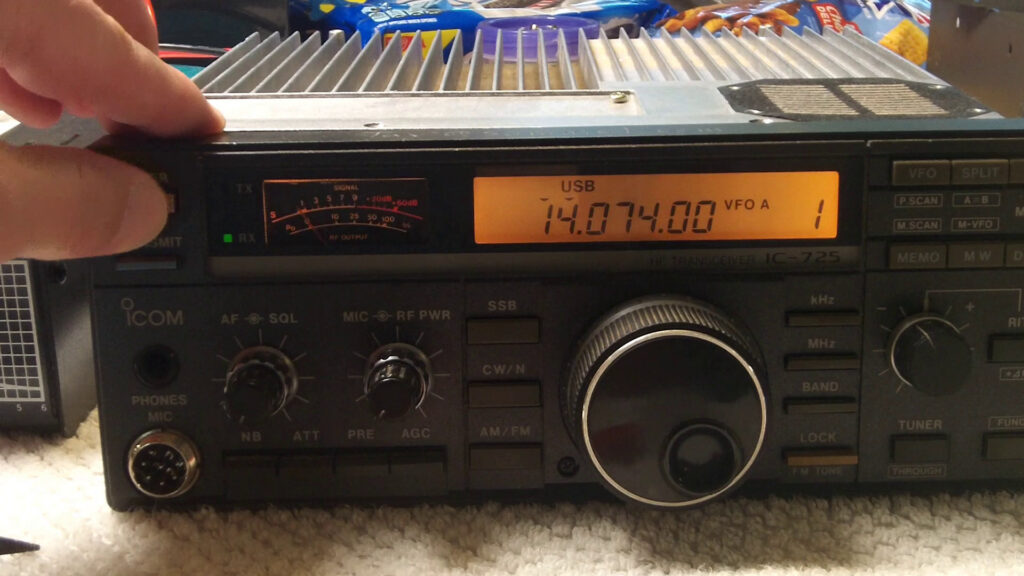
Final result