DC Fast Charging (DCFC) Pricing models

Ben complained that he “got the short end of the stick” because EVGO charged him   $10.51 for a single fast charging “session” where the electricity cost him about $2 per kWh.

But the simple fact is, if you have an EVSE at home,   95-99% of your charging is done at home. Remote L2 and DCFC sessions fall into one of two categories:

  1. Opportunity charging – Just picking up some extra power because you are at a location anyways.
  2. Necessity charging – You need to go somewhere that is farther than your current range will allow, either due to a small battery pack, or a low state of charge.

When you are opportunity charging, you don’t want to pay much more than you would at home. In some cases, stores offer free charging to get you in the door, or as a public service, and in other cases the costs ($1-2 an hour, or $0.20 to 0.50 a kWh depending upon your charging speed) are reasonable and/or in line with parking fees that you would already be paying.

In Ben’s case, he was definitely in the necessity charging category (making a drive to downtown Milwaukee right at the very edge of his range).   So the $10 he paid allowed him to go somewhere that he wouldn’t normally be able to get to on a single charge. This is a convenience fee, not a “fuel” fee. Also, the fact that it was a “fast charge” session should not be overlooked, as that is much more convenient than a L2 charge for necessity charging (when you are not planning on spending time at a location for reasons other than charging).

I recently spent $3 to charge for an hour and 20 minutes outside of a Walgreens at a L2 charger (in 85+ degree heat), getting around 5 kWh   (allowing me to get home without seriously depleting my pack). In addition to the $3 I paid for the charging, I spent $5 in the Walgreens for two sodas and a candybar, (making use of their restroom at the beginning and end, partially due to the two aforementioned sodas). I had planned ahead and brought a magazine with me, but if I hadn’t I would have also spent another 4-5$ on some reading material.

If I could have spent $10 and been charged up in 10 minutes I would have gladly done so, and the time savings (and lowered sugar consumption) would have made it well worth the fee. But, I don’t have a DCFC port on my S-10 truck conversion.

So for a one time necessity charging session, $10 seems very reasonable.   It is comparable to spending $6 for a service station sandwich that you could have made yourself for $1 at home.

If you are going to be making long trips where you need DC fast charging frequently, you sign up for the monthly plan, which greatly reduces the price per session. You can think of this as a toll road type system, where you know you need to charge up every day on your daily commute, so you just budget the extra costs as part of your transportation overhead. (Although in that situation, an ICE vehicle may make more economic sense.)
Firefox scrollbars “Jumping” or “Warping” instead of scrolling when clicked

Recently, the scrollbar behavior of my Firefox web browser changed.   The “old” (and expected/desired) behavior is that if you click in the scrollbar area anywhere below the thumb, the thumb moves down one page.

However, the new behavior is that a normal click will “Warp” the thumb directly to the clicked location, scrolling the webpage a whole lot farther than desired.   (it used to be that a right-click would do the “warp”, which is a useful feature, not not necessarily one I want to be the default).

I found the answer here: https://support.mozilla.org/en-US/questions/1120904

The change in behavior is caused by gtk 3.0 and to fix it on Ubuntu Linux, I had to:

create ~/.config/gtk-3.0/settings.ini

with contents:

[Settings]

gtk-primary-button-warps-slider = false

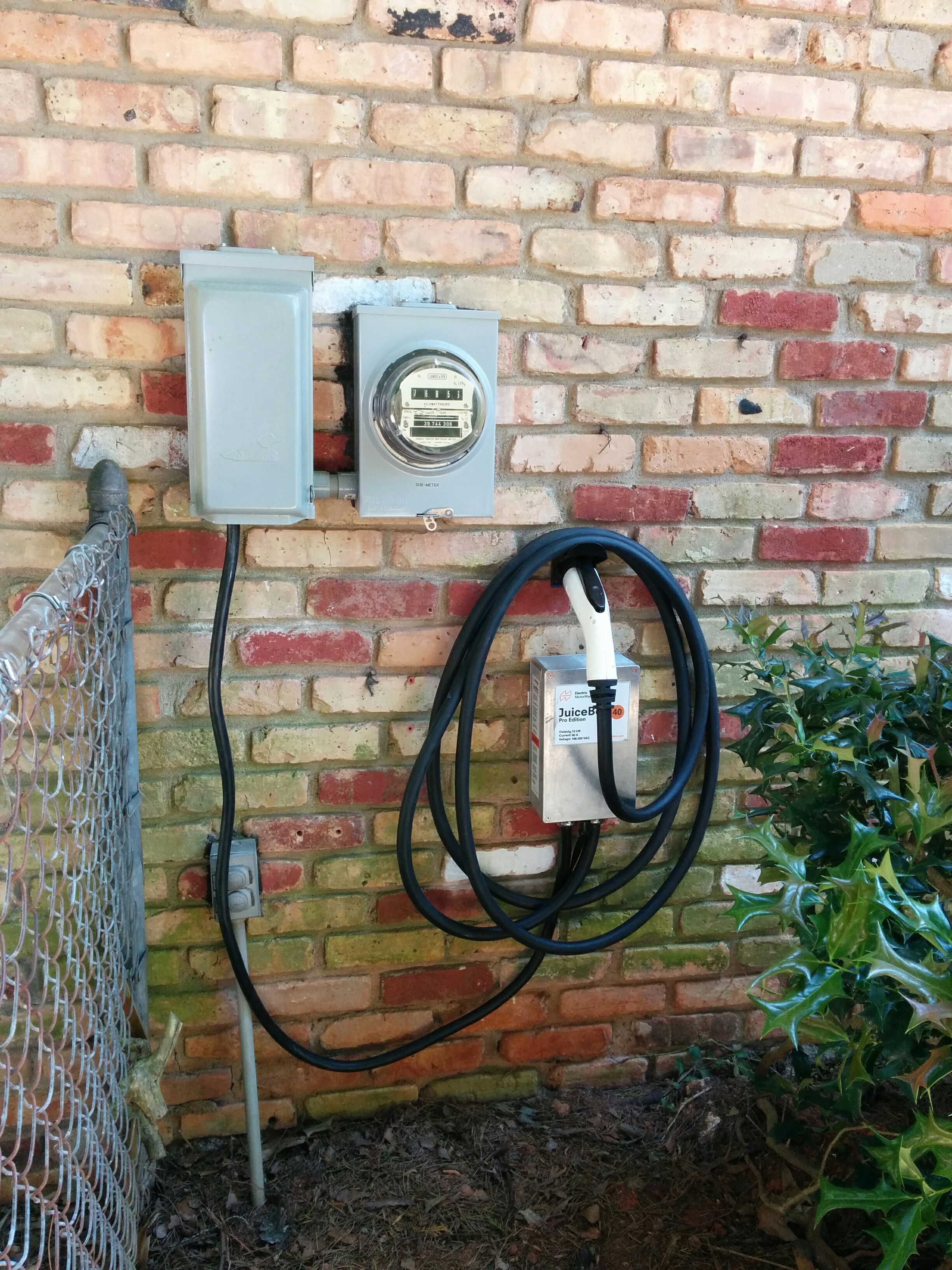
JuiceBox EVSE Pro 40 – Second Unit

installed

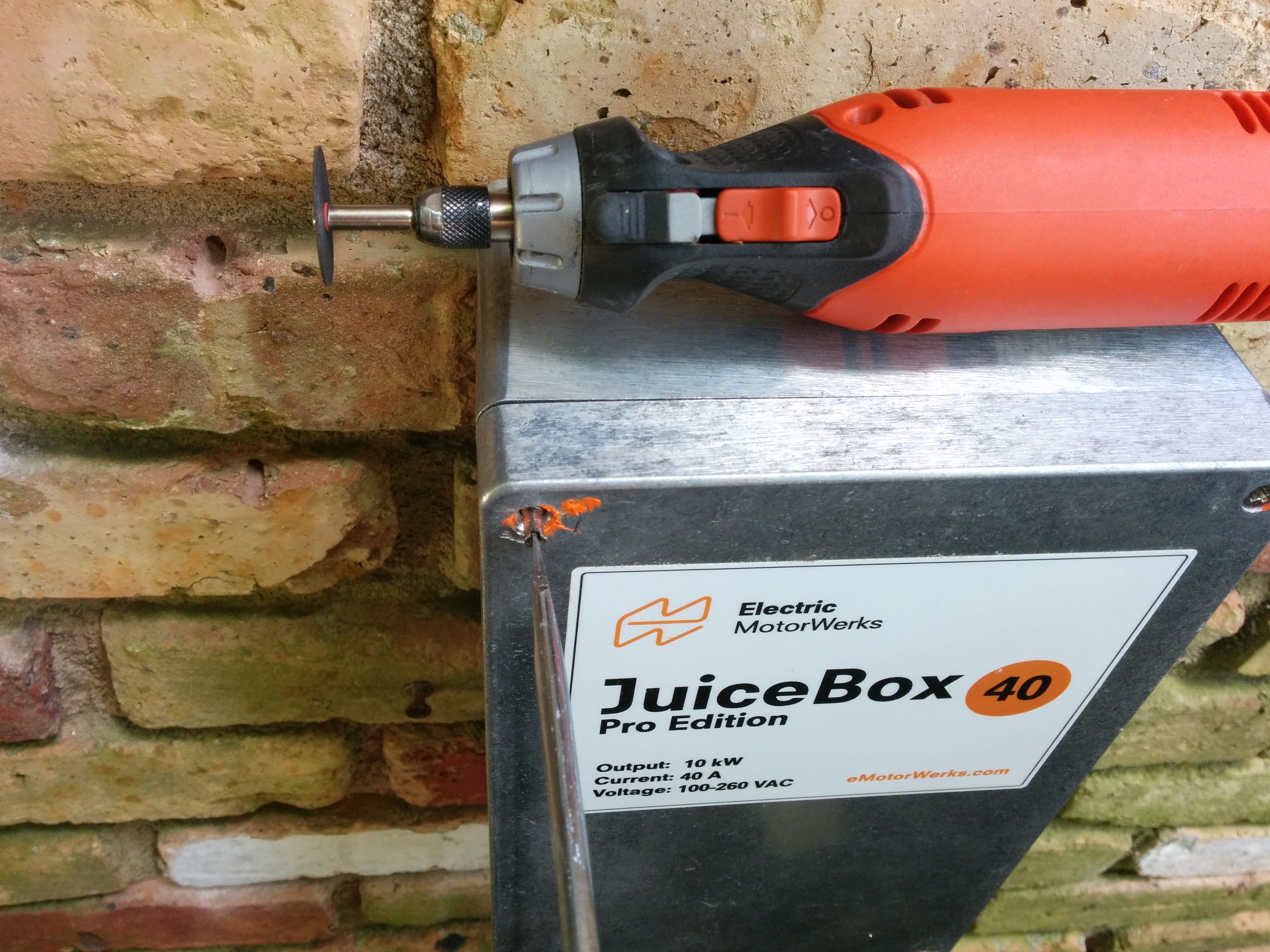
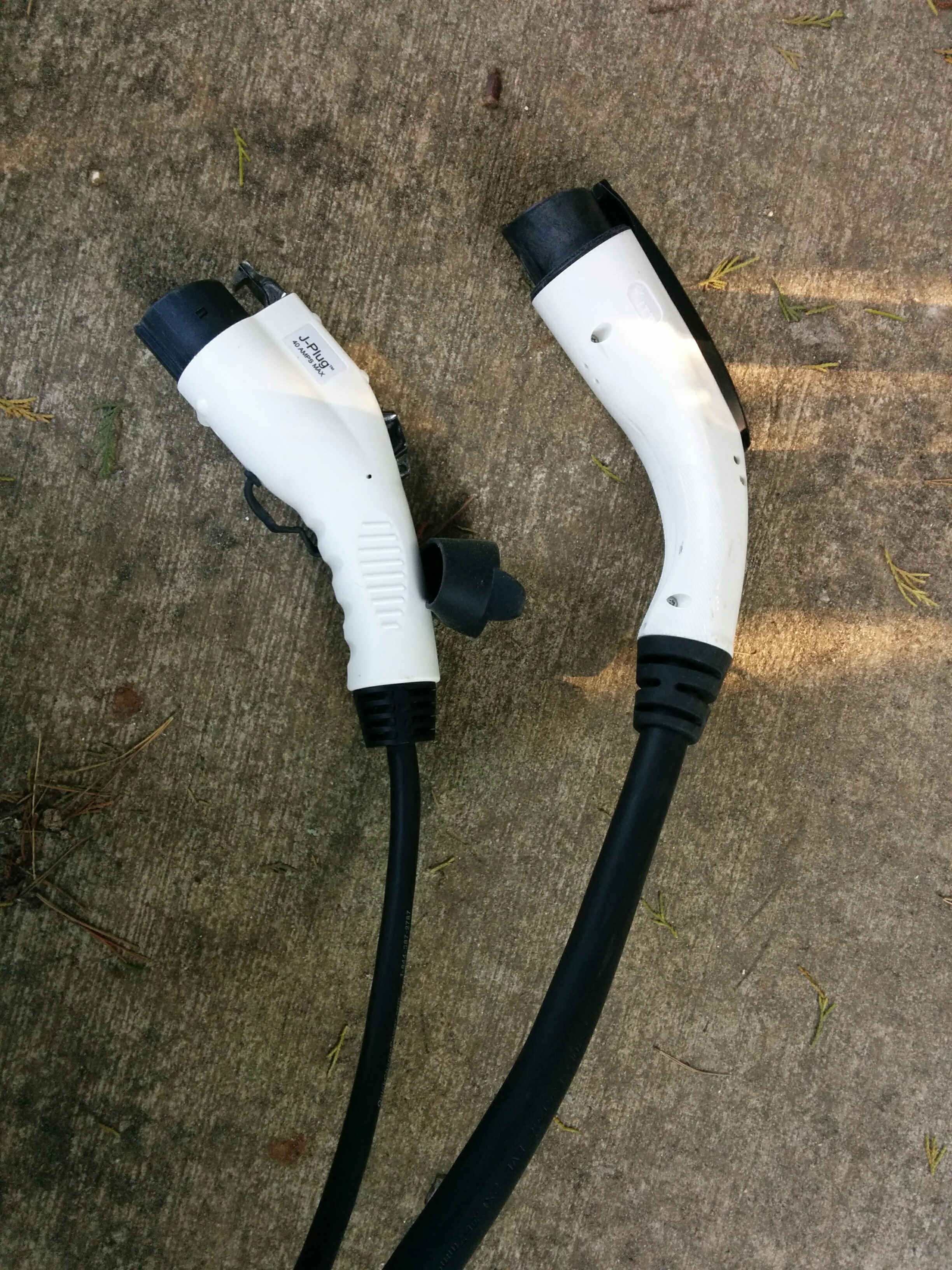
I’ve been using an Electric Motor Werks JuiceBox Pro 40 to charge the truck for the last six months. It worked just fine most of the time, but suffered from intermittent GFI trips that would cause the wifi module to turn off entirely (going offline and stopping the charge) very occasionally.   After flashing the firmware didn’t fix the issue, they sent me a replacement unit. (Pictured above).

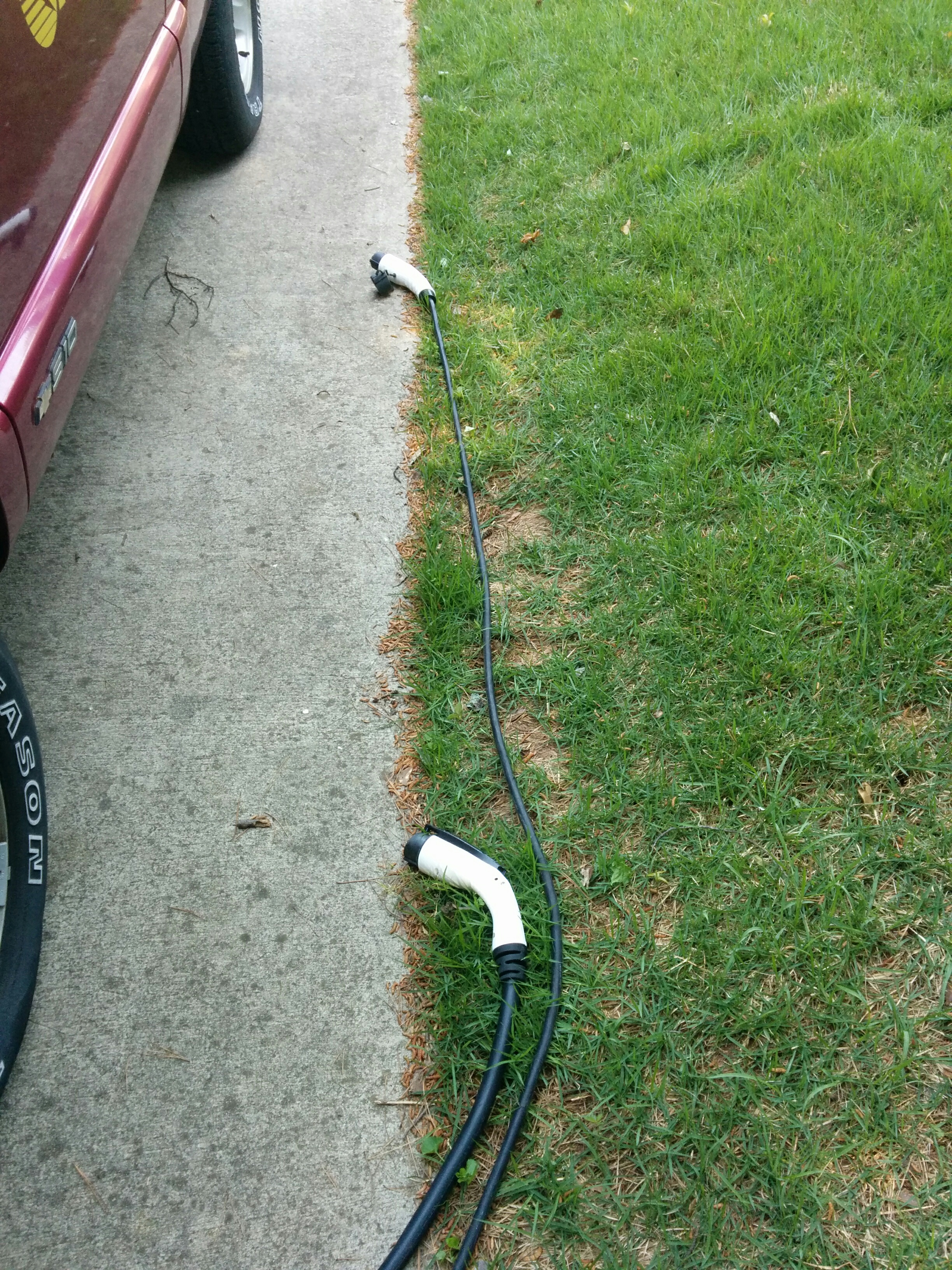
You can read all about the old unit here. The new unit has a slightly newer version number (v8.14.07) and the power cable going out to the J1772 gun is shorter (looks to be 18′-20′ instead of 25′) and MUCH thicker (marked as 8 GA wires for power, which matches the wires used to supply my NEMA 14-50 outlet). I have some photos of the differences here:

old_vs_new_guns

old_vs_new_length


Poking around the Electric Motor Werks website, the “thick” cable and gun appears to be what the current JuiceBoxes come with by default, but they have an option where for an extra $29.99 you can equip your JuiceBox with “Flexible J1772 Cable”   described as follows:

“Outfit your JuiceBox with a flexible & thin 40A 25FT non-UL J1772 (output) cable!

For those who value portability, or ease of cable manipulation, we are glad to offer a highly flexible and thin output cable option. With the addition of this option, your fully warrantied and assembled JuiceBox will come ready to go with a 25FT 40A portable spec output cable.
Please note that this cable is not UL rated, and not designed for compliance with national electrical standards. It is tested as safe to use for the power rating presented. Please note the cable you receive may not appear exactly as pictured – though dimensions and cable materials will be consistent.

So it may be that my original unit came with the “flexible” cable by default, but the new unit comes with a larger UL listed cable. (The cord I got on the replacement unit is shorter than my original by a good five to six feet.)


GFI cause update:

I have identified the cause of the GFI events (my TSM2500 chargers cause a GFI event when they shut down due to overheating.) The new charger still gets knocked “offline” when a GFI event happens, but it appears to recover on it’s own without needing me to power cycle it.


Scantek 2000 CNC Lathe – First cut with LinuxCNC

I converted my Scantek 2000 CNC lathe to work via Parallel port control (for Mach3/LinuxCNC software control) and have been learning how to hand write gcode (because the Linux compatible CAM lathe software options are not terribly good).

IMG_20160415_220855

Unfortunately, the LinuxCNC   software doesn’t support many of the automated cycles (G71 I’m looking at you!) for lathe turning (yet!), so I had to write up a gcode file with many manual G1 passes to cut down the cone shape you see here.

IMG_20160415_220832

Instead of hand coding the whole thing, I wrote a small python script that automated the gcode generation, which takes 0.2 mm passes off the stock, stopping 0.5mm shorter each time from 10mm down to 5mm radius. But I did the first few by hand….

Here is a video of the process in action:

And below is the full gcode file for those who care….

Continue reading

Monster UPS just got bigger….

A few years ago I built a Monster UPS using an RV Inverter/Charger and two golf cart batteries.   Seeing as how I have a lot of extra golf cart batteries just hanging around, I upgraded it to use eight GC2 batteries (that’s 720 AH x 12 volts, or 8.6 kWh when new). Because more is better, right? (Except for the 500 lb system weight…which is probably getting close to the capacity of the steel cart I’m using to make it semi-mobile.)

IMG_20160327_143204

Continue reading

MicroMill Mach3 / LinuxCNC conversion complete

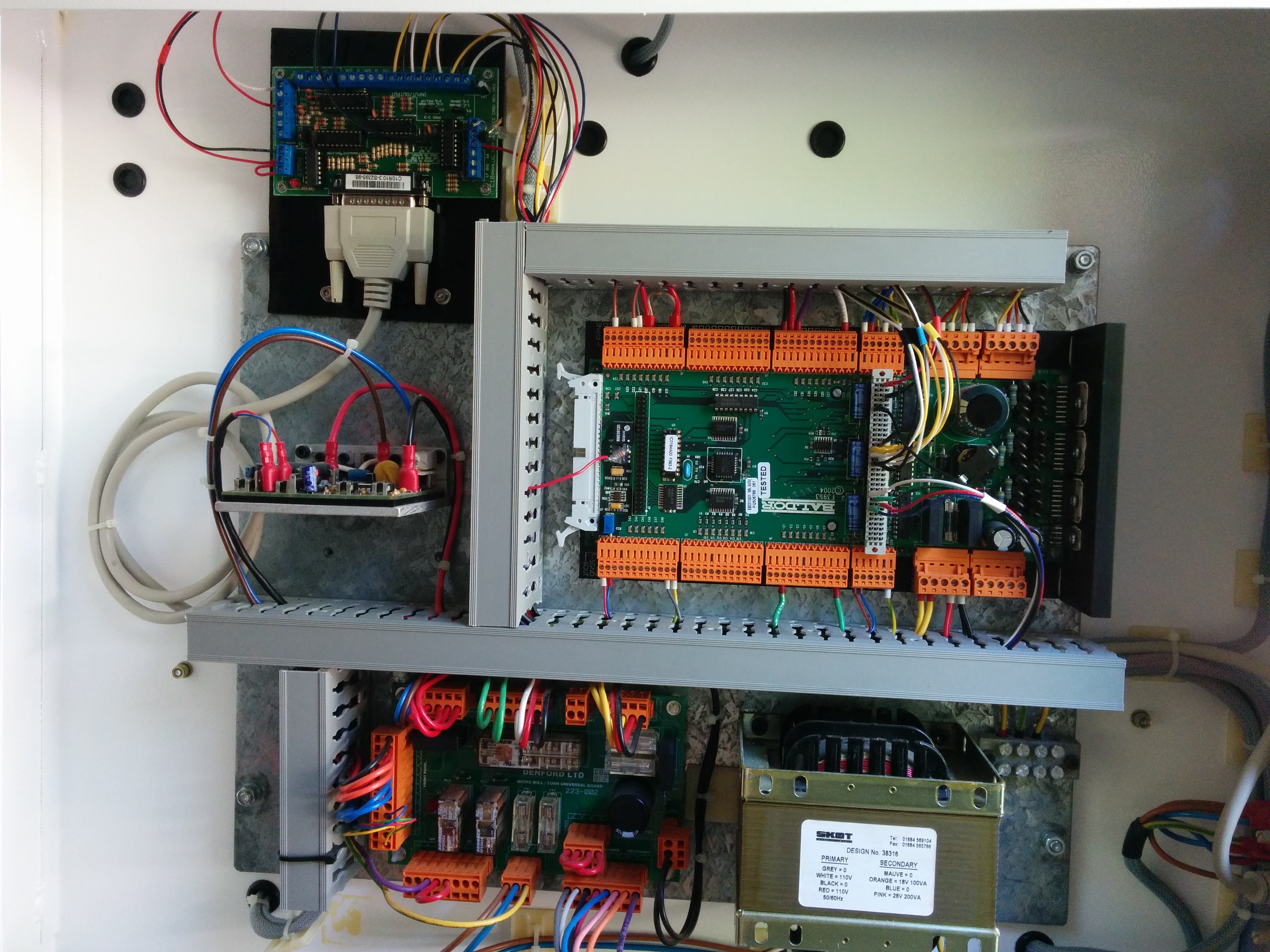
I have mounted the parallel port break out board inside the enclosure of my ScanTek 2000 (Denford Micromill). I routed the parallel port cable out to the previous DB25 (RS-232) outlet on the case and sealed up the back.

bob_mounted

With the built in wire management trays, the job looks almost professional…except for the fact that I used a triangular piece of 1/4″ acrylic scrap I had for the mounting plate, so I had to orient the break out board at an angle. But since it’s inside the case, nobody can see it anyways. bob_mounted_closeup


parallel_port_cable_inside_panel

Outside the case, the only visible difference is that I took off the black “RS-232” sticker that used to live next to the DB-25 connector. Continue reading

How far can it go?

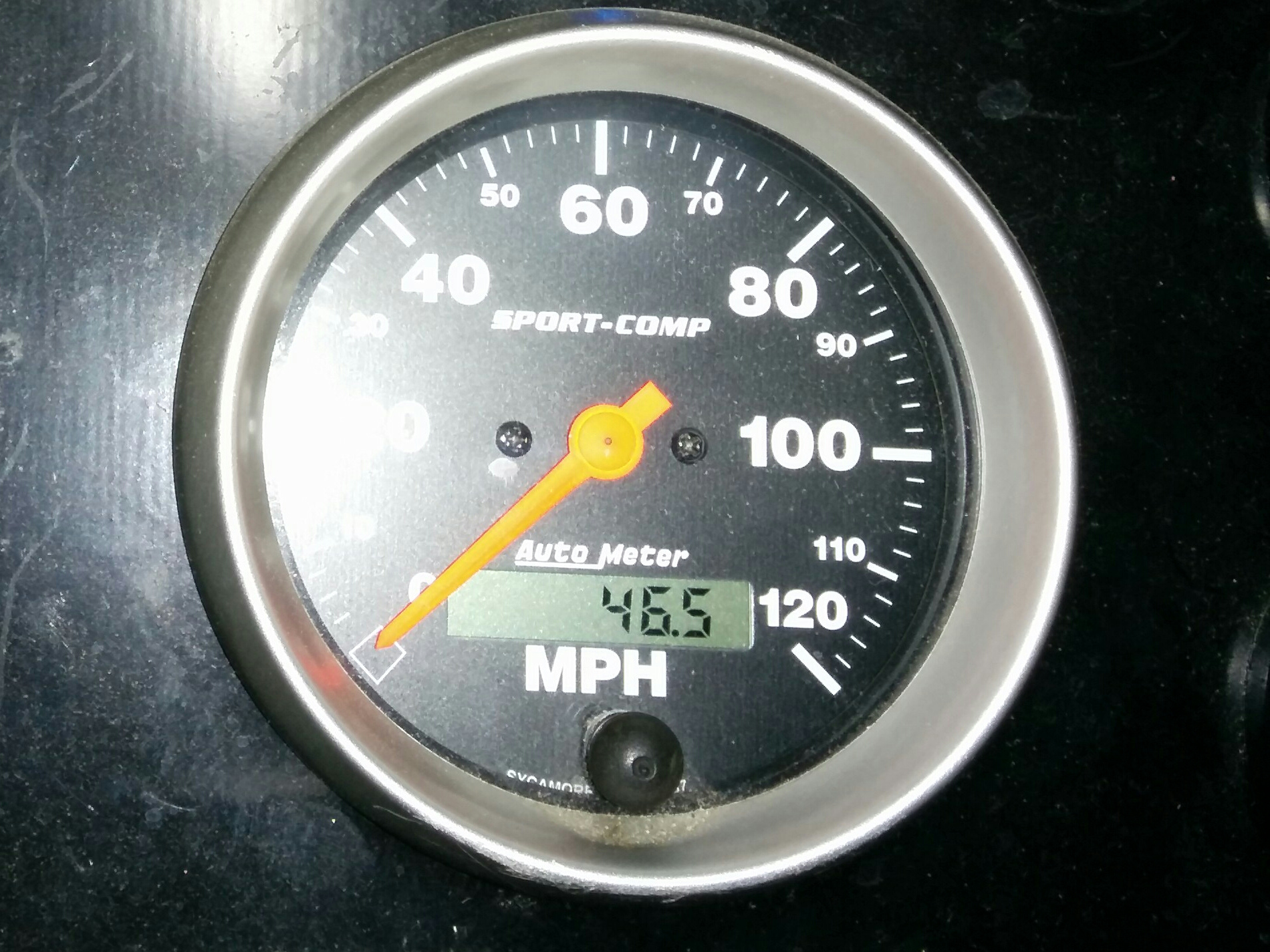
Summary: I drove my truck 46 miles on one charge (and had some juice left over).
Instant-1457835710687

When you have an electric vehicle, everybody wants to know how far it can go.
I typically tell them “19,800 miles so far.”

But then you have to answer their real question, which is “What’s your range on a single charge?”. If you have a commercial EV like the Leaf or a Tesla, you can just refer to the EPA range figure for a nice apples to apples comparison. But when you have a conversion EV, the number is unique to your particular vehicle, motor, controller, battery pack and testing methodology. (And changes as the pack ages…)

I used to know the answer to that question for my truck with a (new) lead acid battery pack (“25-30 miles without killing the pack”), but I haven’t fully characterized the trucks’ power usage and range with the new (lighter weight, more powerful) pack made up of Nissan Leaf cell modules. My truck is heavier and has more air resistance than a stock Nissan leaf,   the motor/controller is slightly less efficient, and the (big fat!) tires have quite a bit more rolling resistance. I figured “half the range of a Leaf” would be a good ballpark estimate.

Continue reading

Upgrading a 5 gallon portable compressed air tank

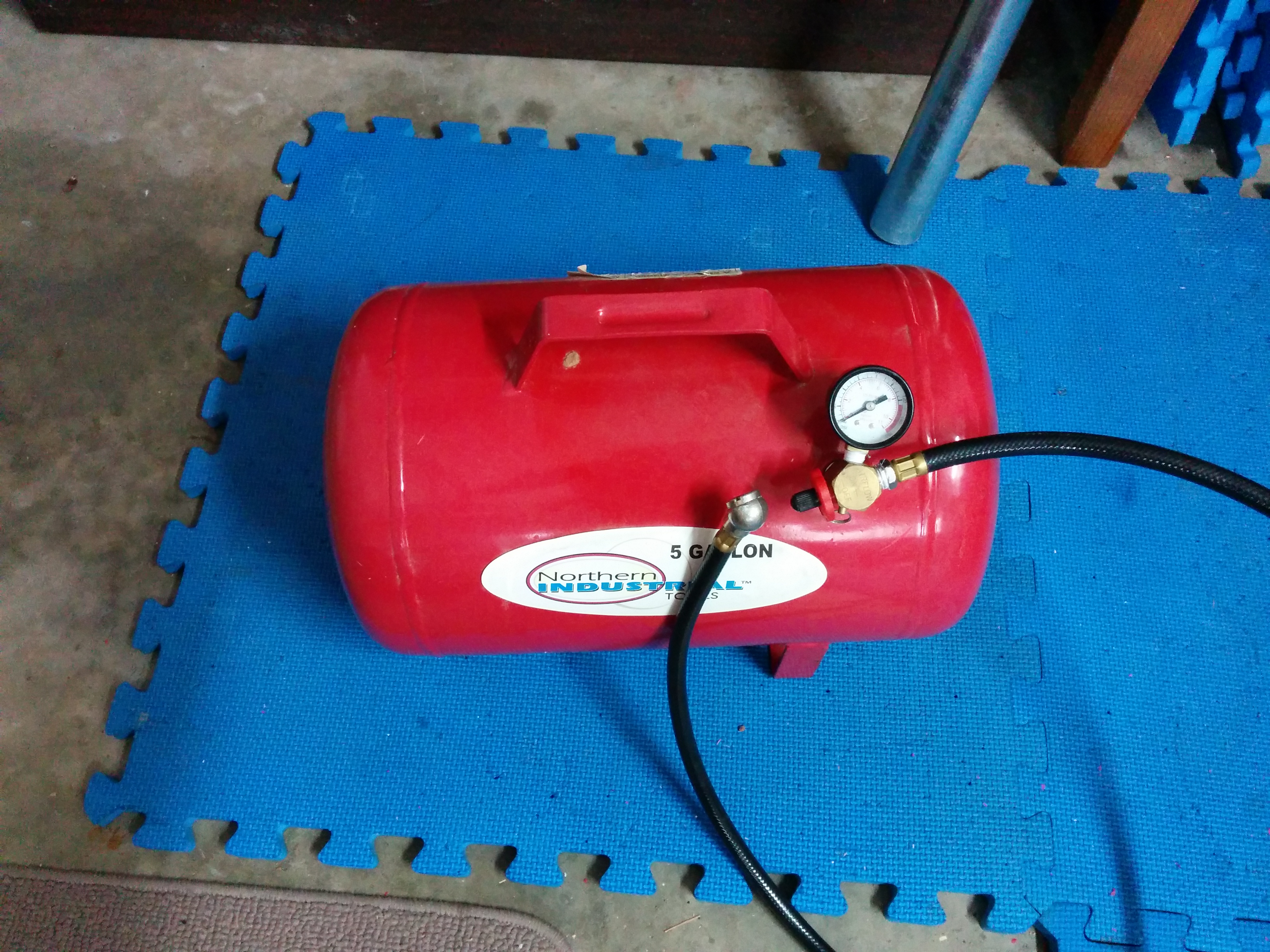
IMG_20160312_140530

I was given this 5 gallon portable air tank, but you can purchase them from Harbor Freight or Northern Industrial in the $30-35 price range. It is filled with a car tire (Schrader) valve and has a built in pressure gauge, overpressure release valve and car tire fill hose.

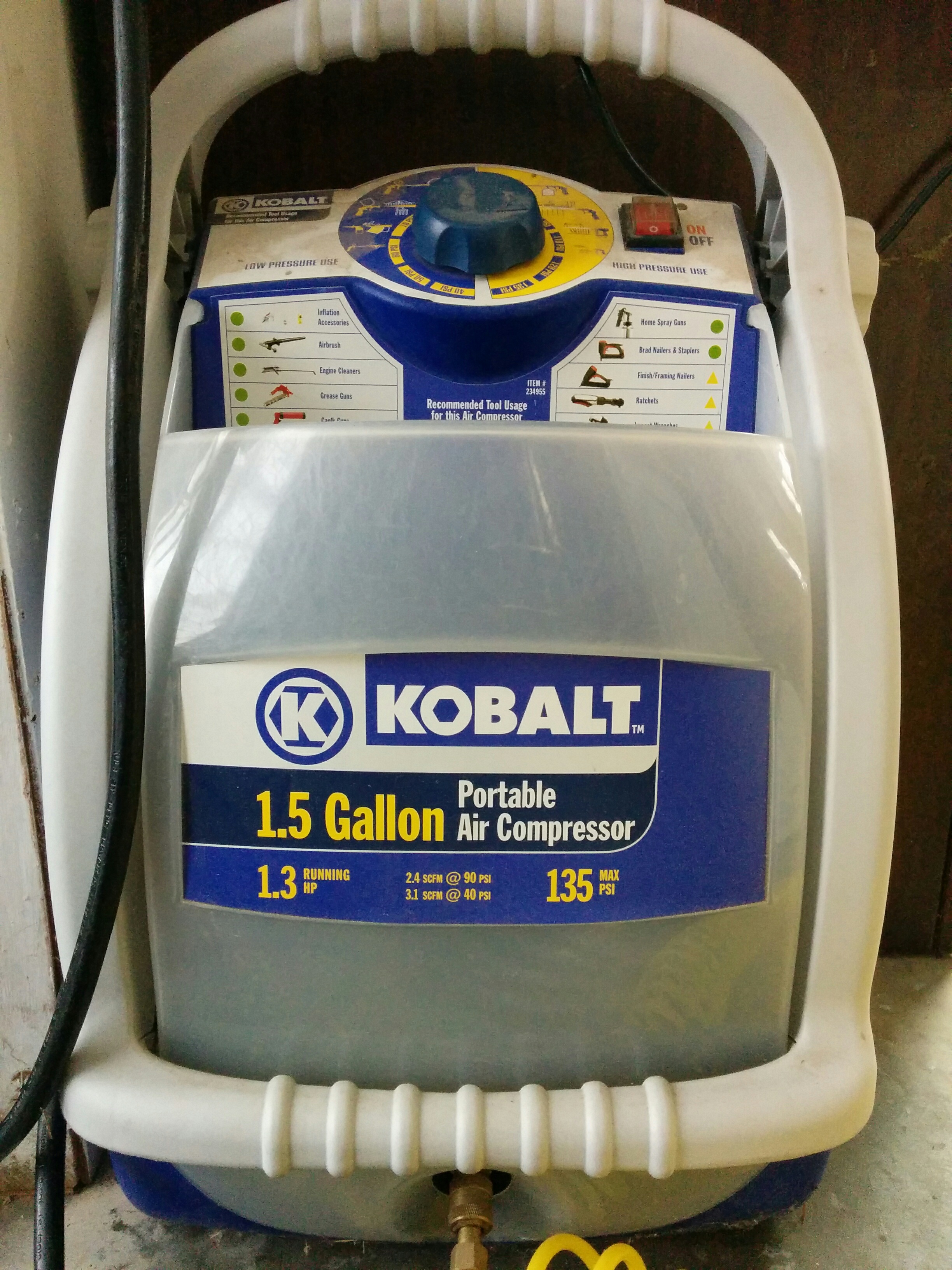
I have a small garage compressor. It is a 1.3 HP compressor that provides 2.4 SCFM at 90 psi, which is reasonable if you need to blow stuff off, drive the occasional air wrench, or do some light spray painting, but not a very high output. It only has a 1.5 gallon tank, so if you start using a lot of air it doesn’t last long.

IMG_20160312_144129

My plasma cutter wants 6 SCFM, which is more than the compressor can provide, but I only need about a 10% duty cycle.   (make a cut, then move the metal, re-clamp it, set up a straightedge or jig for the next cut, etc…)

IMG_20160312_141338

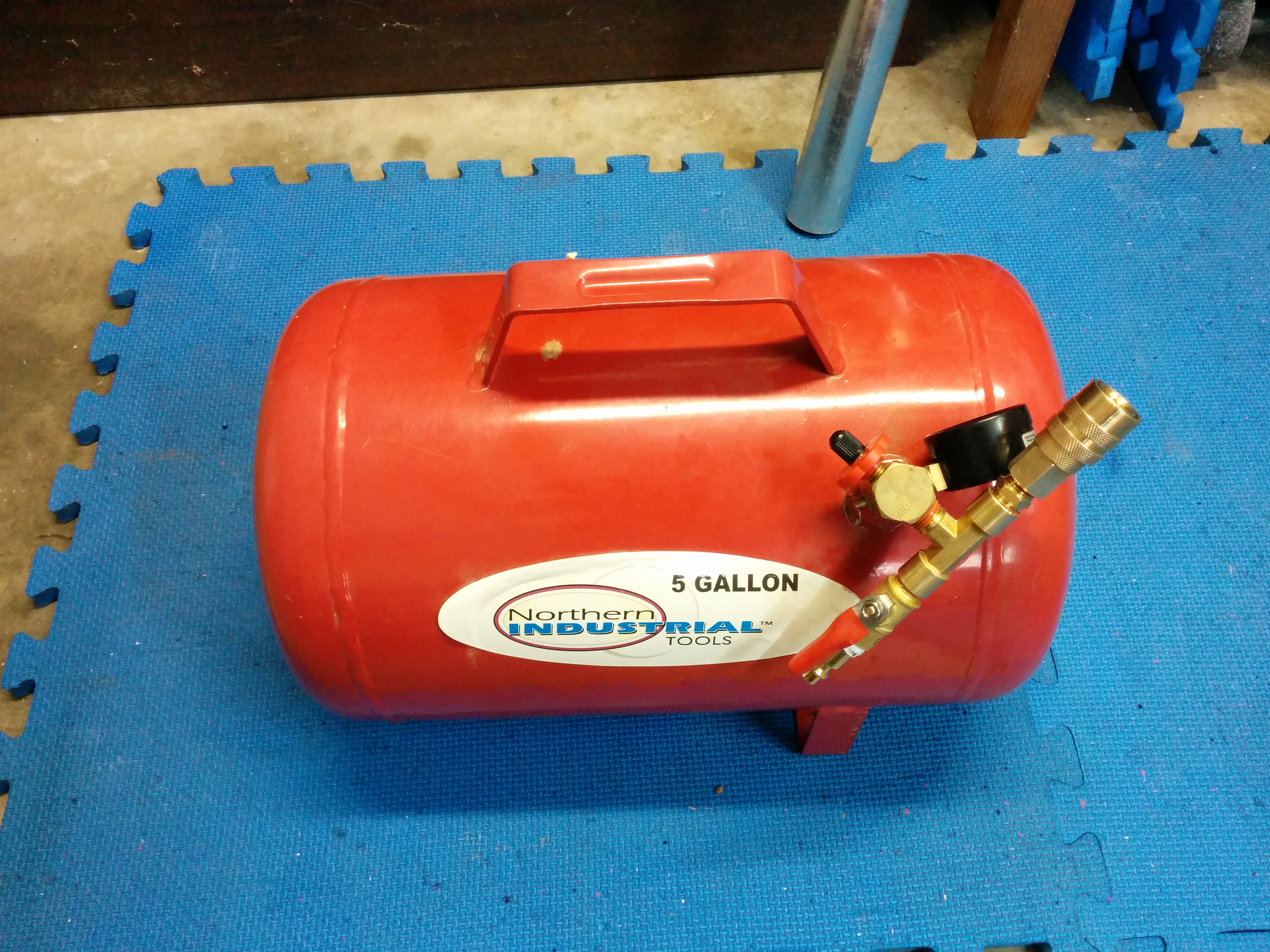
I bought some items in the tools / air-compressor isle at Home Depot to add the ability to attach the 5 gallon tank between my small compressor and the plasma cutter using standard quick connect fittings. The air fill hose that comes with the tank is mounted with a standard 1/4″ NPT connector, so all I need to buy was a T, a ball valve, a quick connection package, and a male to male adapter. I had to screw the pressure gauge 90 degrees to get room for both ends of the T.

IMG_20160312_143730

One end of the T goes to the ball valve and the quick connect fill connector. This side is connected to the air compressor and allows the tank to be filled by my small compressor and to act as an air buffer. The other end of the T goes to the female quick connect adapter, allowing me to plug in any standard QC hose. I included the ball valve so that I could close it and disconnect the tank from the compressor and have it remain full, although primarily I’ll be using the tank “in-line”. The cost of these parts was $15, or about half the cost of the tank if you bought it new.

IMG_20160312_143741

Here is a video: